
GPT Image 2.5 Photo Editing Review: What Changes, and What Survives?
A practical look at brighter faces, familiar pets, cleaner backgrounds, and the details an AI edit can quietly change.
A better photograph should still feel like the same photograph. That is the question behind this GPT Image 2.5 review: can an editor brighten a face, simplify a background, or make a holiday card without quietly replacing details the owner wanted to keep? The answer depends on what you mean by preservation. A recognizable person is one standard; an unchanged face, down to its smaller features, is a much stricter one.
This review tests the Flare and Sunburst options on gptimage-25.com. It uses six synthetic source photographs, repeated editing requests, and saved original outputs. It is an evaluation of that website's labeled options, not an independently authenticated comparison of OpenAI API snapshots. The distinction matters because a model name in a menu does not reveal every part of the service behind it. The images and measurements below describe what this particular workflow returned.
The Quick Verdict
Both website options made the basic portrait, pet, and object-removal edits useful for ordinary digital sharing: 9 of 9 attempts per option across those three tasks. This is a permissive creative-use judgment, not an exact-preservation score. The results do not establish a clear visual winner. The stricter tasks expose the cost of assuming that a pleasing image is finished: the cards need print preparation, and every three-step sequence changes the sky beyond the modest lighting request. Restoration is unscored for fidelity because the generated damage altered source content. Flare had a lower observed median completion time in this baseline, but browser timing and the third-party interface limit that comparison. Keep the original and inspect the details that matter before approving an edit.
Sunburst and Flare: What Was Actually Tested?
OpenAI's official documentation positions GPT Image 2.5 Sunburst for image generation and editing where precision matters, and Flare for fast, high-quality everyday image generation. Both accept text and image inputs. Those descriptions explain why an editing comparison is useful; they do not tell us which option will preserve this particular pair of glasses or reconstruct this particular railing better. Sunburst documentation, Flare documentation.
Our access method was the browser interface at gptimage-25.com, using its displayed GPT Image 2.5 Flare and GPT Image 2.5 Sunburst selections. The site allowed an input upload, a written instruction, a model choice, and controls for aspect ratio, resolution, quality, and output format. We recorded those controls and downloaded the returned files. We did not verify the upstream provider, a dated model snapshot, a seed, or any additional server-side instructions.
For that reason, references to Flare and Sunburst in the result sections mean the website's labeled options. Readers who need a reproducible API benchmark should preserve the exact provider response and model identifier in a separate test. This article does not turn a third-party label into a stronger claim than the evidence supports.
How the Test Works
The source set covers a backlit portrait, a dog on a patio, a riverside scene with a trash can, a fictional vintage photograph, a four-person family group, and a lakeside portrait with room for a caption. All six source images were generated with the built-in imagegen tool. They are not camera originals, real family memories, or photographs of identified people. This avoids borrowing someone's likeness for a public demonstration, but it also limits how well the results generalize to noisy phone photographs and real archival scans.
Each of the first five tasks starts from its original input three times per website model option. The sixth task consists of three consecutive edits, and the entire chain is repeated three times per option. A new attempt means a new submission, not a correction to a preferred image. All returned files are retained, including results that do not meet the brief. The main comparisons show trial one, so the cover and section illustrations are not a selection of only the prettiest attempts.
The shared baseline is 1K resolution, High quality, and PNG output. Ordinary edits use Auto aspect ratio to follow the uploaded photograph. Actual dimensions come from the downloaded files, not from an assumption that 1K means a particular long edge. Each independent attempt clears the reference image and uploads the same original again. The website presents a form rather than a visible chat thread, so isolation of hidden server context cannot be established. For the editing chains, the next explicit reference is the previous downloaded output.
The editorial categories are ready for ordinary digital sharing, needs a small fix, and needs another attempt. A broadly successful creative portrait can be useful while still containing fine changes. Exact preservation requests receive a stricter reading: where a distinctive marking, a face, or a previously visible structure changes materially, attractiveness does not cancel the error. These judgments are visual assessments, not a blind panel, an identity verification system, or a measured consumer preference study.
Whole images are compared at an equal displayed frame size. Detail windows use corresponding normalized image coordinates and are labeled as display crops. They are not new generated images, and no output is retouched to improve its score. Different output resolutions and slight changes in framing limit how directly individual pixels can be compared. Three repetitions of one source reveal some variation, but cannot establish a population-wide success rate.
Test 1: Brighten a Portrait Without Changing the Person
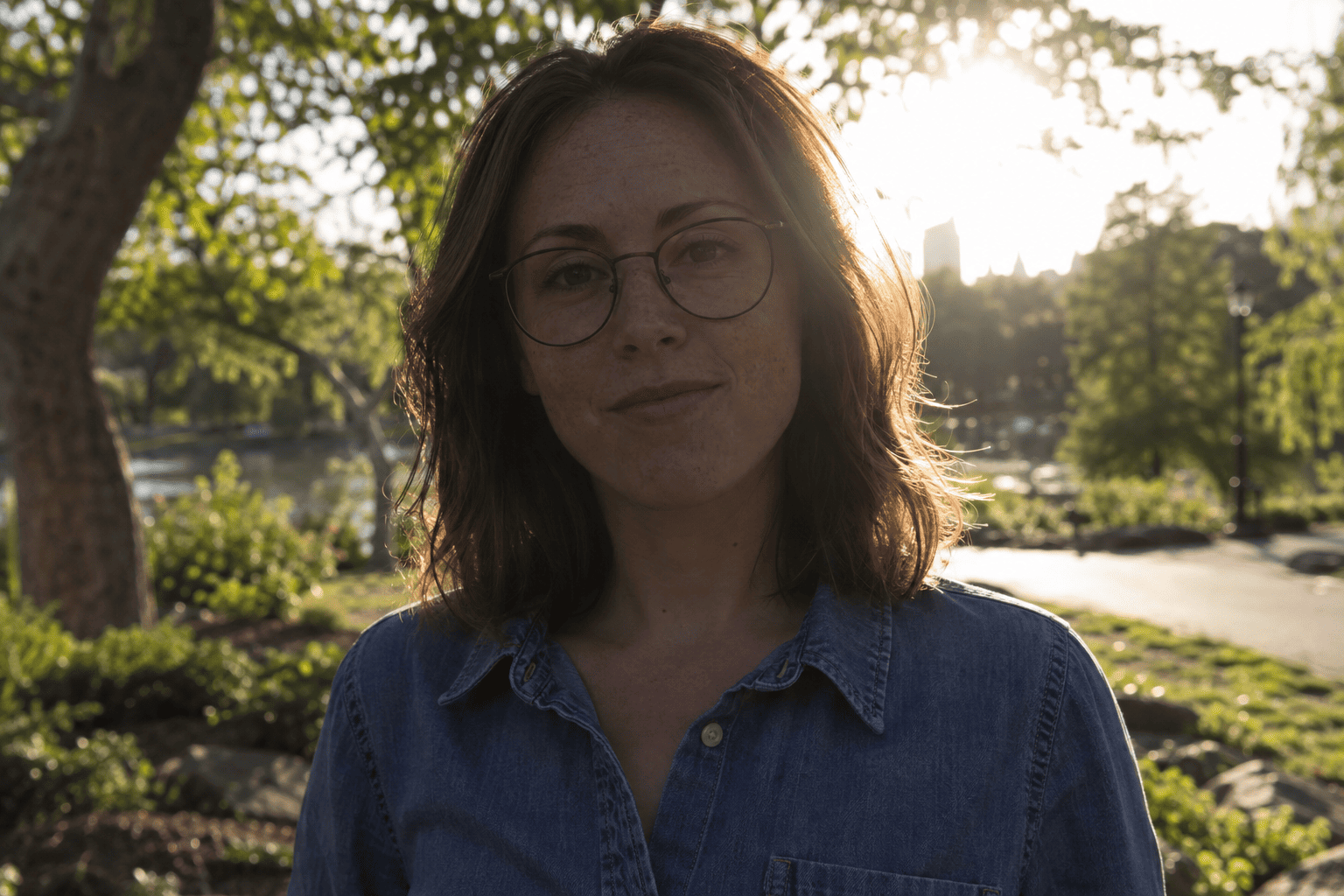
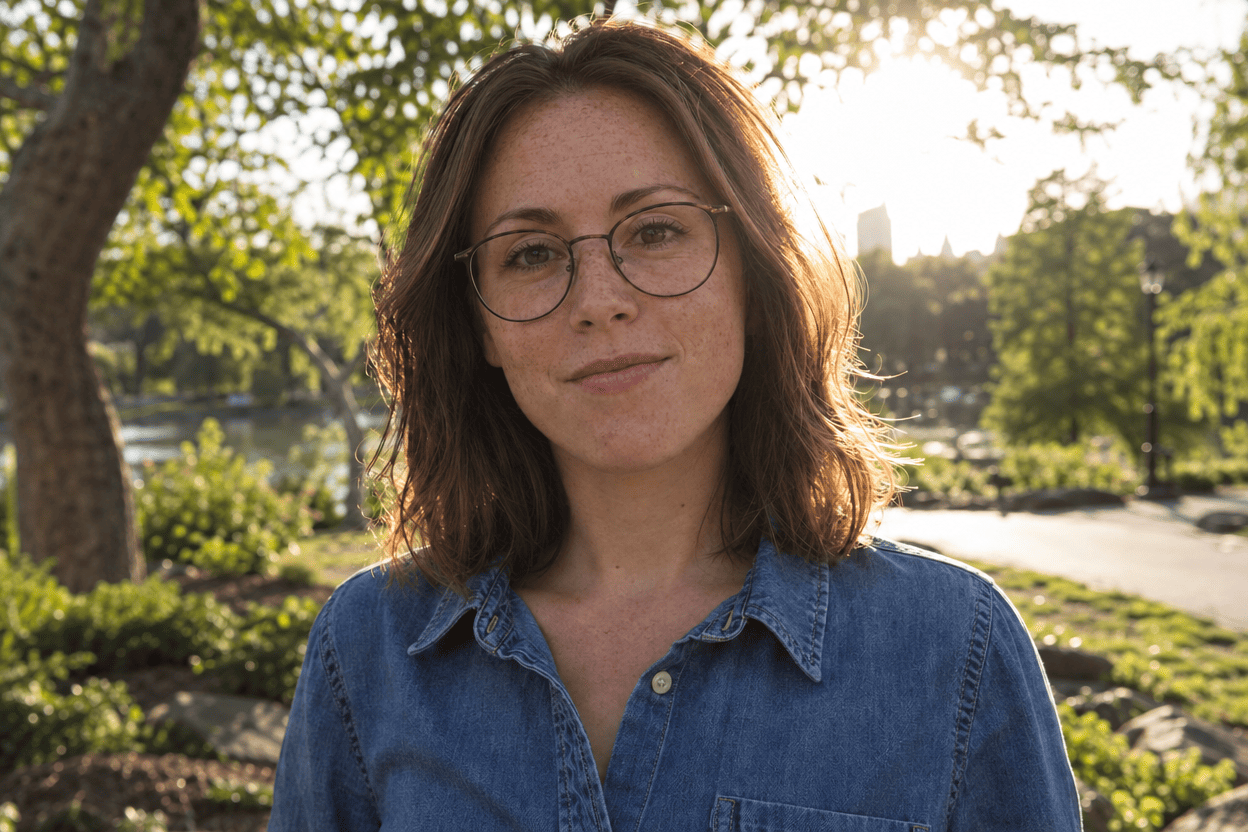
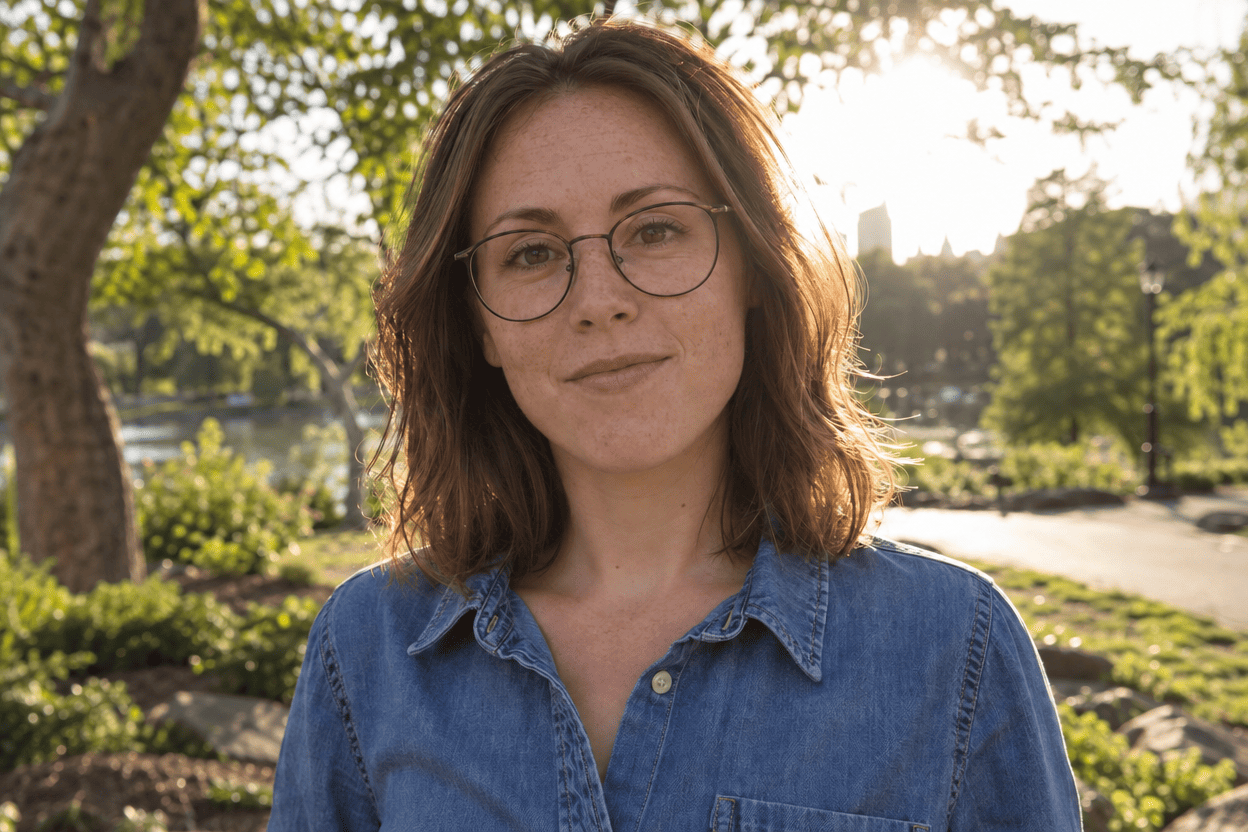
The portrait is deliberately backlit. The original has a bright sunlit park behind a woman whose face is considerably darker. Thin dark glasses, freckles, brown hair, a closed-mouth expression, and a denim shirt give the preservation instruction something concrete to protect. The request is an exposure correction, not a makeover.
All three Flare submissions and all three Sunburst submissions returned visibly brighter faces. The glasses, freckled appearance, hairstyle, clothing, and relaxed expression remain recognizable in the six outputs. No newly visible teeth or obvious added makeup appeared. The surrounding park and backlighting also remain recognizable. At ordinary article size, both options produce a more legible portrait with a plausible relationship between the brighter face and the light behind it.
The important qualification is that these are rendered edits rather than proof that the face has been held exactly constant. Small freckle patterns, strands of hair, tonal transitions around the cheeks, and the impression of skin texture vary. The output can look more polished because it has redrawn details as well as changed brightness. We did not perform a biometric identity comparison and would not describe the result as an exact preservation guarantee.
For ordinary digital sharing, the six results are usable. For an identity-sensitive photograph, each still deserves a side-by-side check by someone who knows the subject. The images do not establish a convincing visual advantage for one website option. Choosing a winner because one face happens to look a little warmer would confuse a color preference with better adherence to the request.
One workflow detail is easy to miss: the 1536-by-1024 source returned as 1248 by 832 pixels at the selected 1K setting. The aspect ratio survived, but the source pixel count did not. That is adequate for these on-screen comparisons; it should not be described as retaining the original resolution.
Exact test prompt
Edit the uploaded photograph. Brighten the backlit person's face and soften the harsh facial shadows while keeping the lighting natural and consistent with the scene. Preserve the person's identity, facial proportions, apparent age, expression, skin tone, freckles, hair, glasses, clothing, and pose. Keep realistic skin texture. Do not reshape facial features, whiten teeth, add makeup, or apply a beauty filter. Leave the background and composition unchanged. Return one edited photograph with the same aspect ratio.
Test 2: Make a Pet Portrait That Still Looks Like Your Pet
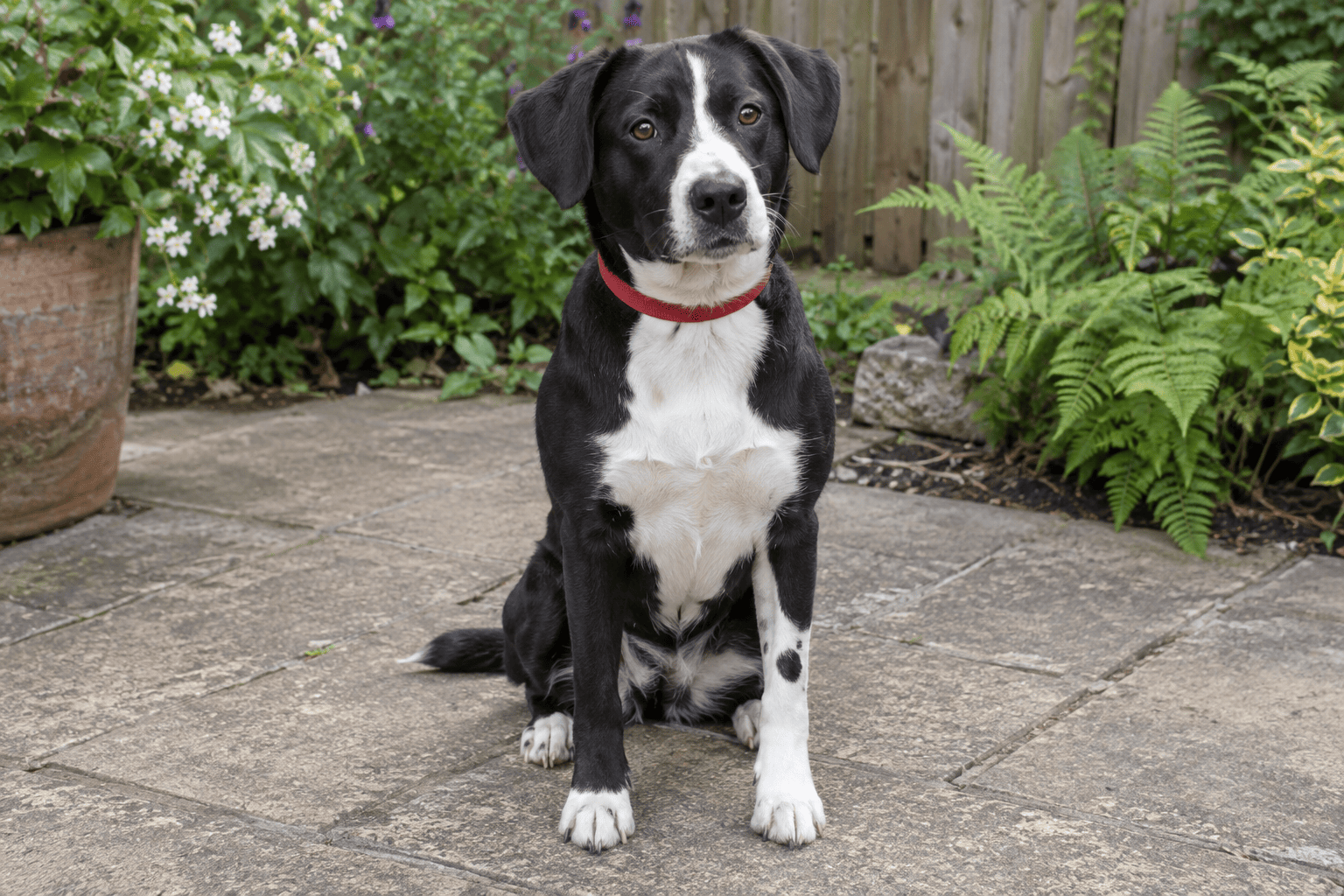
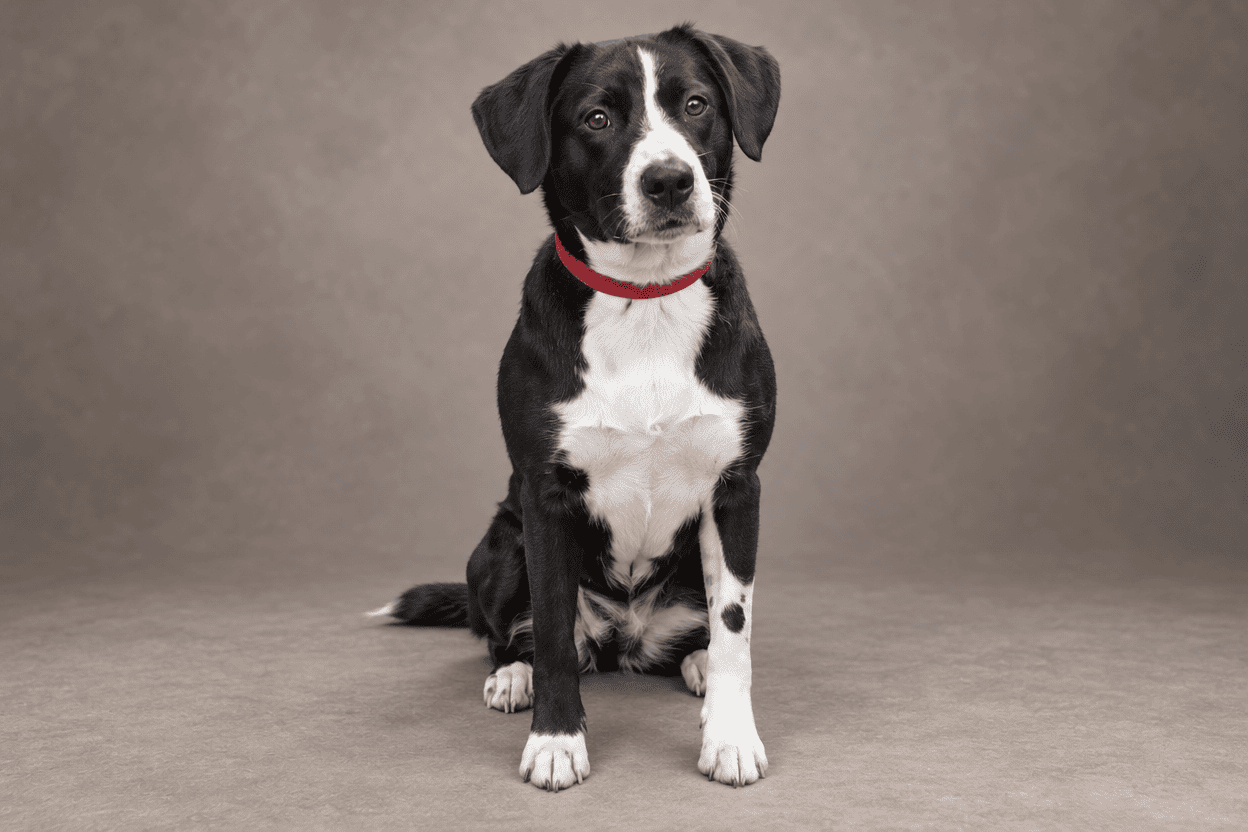
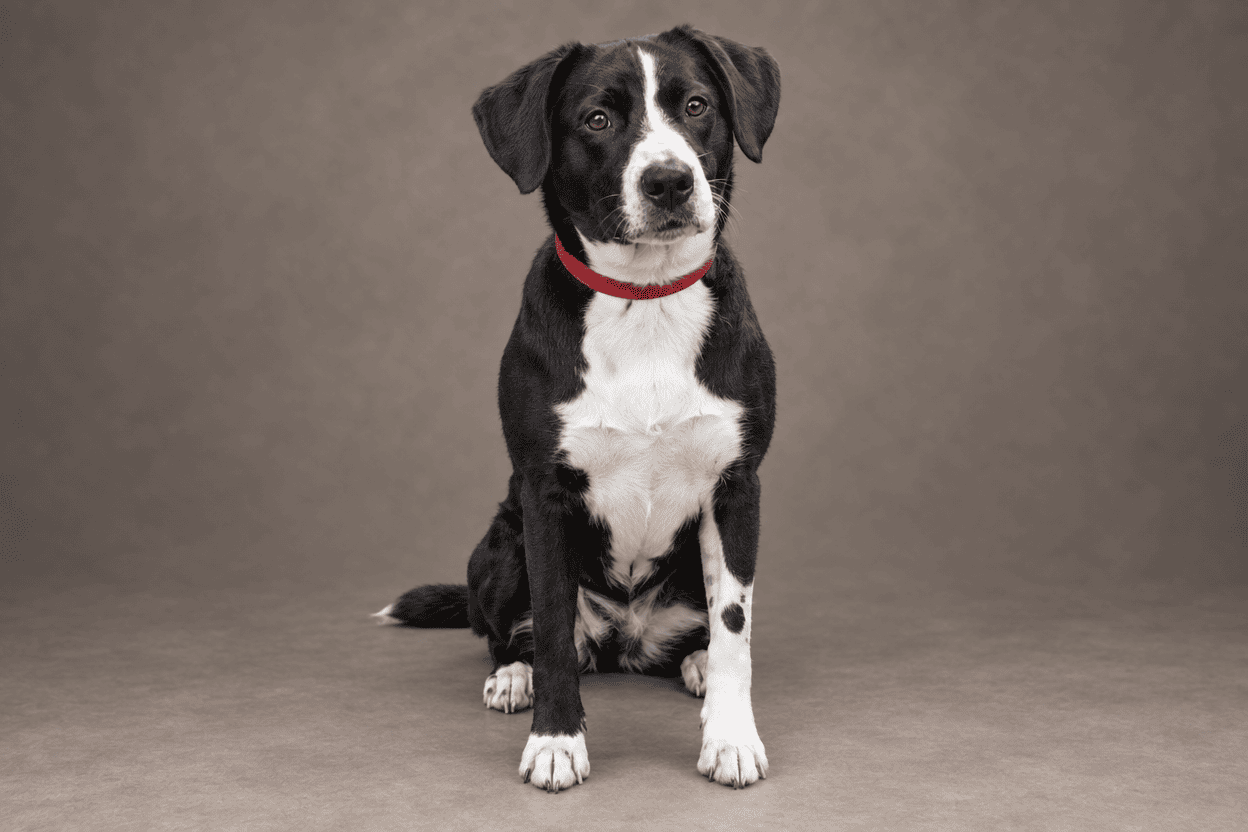
The dog test asks for a studio environment while keeping the pet itself intact. The input has a black-and-white coat, brown eyes, a red collar, a white chest, and an asymmetric dark patch on the white foreleg at the right side of the image. The patio and plants are the parts that should change. The sitting pose, visible paws, and distinctive coat features should remain.
The returned studio portraits make the environmental change obvious. A warm gray background replaces the garden, and a neutral floor supplies a believable contact shadow. The collar, eye color, broad chest patch, and distinctive foreleg marking remain easy to identify. The animal still reads as the same dog rather than an arbitrary black-and-white replacement.
The preservation detail view also shows why a pet owner should look beyond the backdrop. Fine fur clumps, the contour of the chest's white area, and boundaries around the white toes have been re-rendered. These are small compared with changing the dog's entire coat pattern, but the prompt did ask to preserve the exact pet. The useful conclusion is that broad visual identity survived; it is not that every hair and marking boundary was copied without alteration.
A studio portrait can be worth sharing even when these microdetails differ. That makes this a more forgiving use case than restoring a family record, provided the owner accepts the creative nature of the edit. We would check the ears, collar, chest, and paws before approving a print, and keep the original alongside it. A visually pleasing gray background cannot compensate for a missing or relocated identifying patch.
All six pet trials were suitable for an ordinary creative sharing use after inspection, with the same qualification about fine coat detail. The third trials did not reveal a different failure mode. The two options were too similar in this case to justify a claim that one preserved the animal more reliably.
Exact test prompt
Turn the uploaded pet photograph into a natural studio portrait. Replace only the environment with a simple warm-gray studio backdrop and a realistic neutral floor where needed. Preserve the exact pet: its pose, body proportions, eye color, ear shape, fur length, distinctive markings, visible paws, and accessories. Use soft, believable studio lighting and a natural contact shadow. Do not add clothing, props, text, or new markings. Do not change the pet's expression. Keep the original aspect ratio.
Test 3: Remove a Distraction Without Breaking the Background
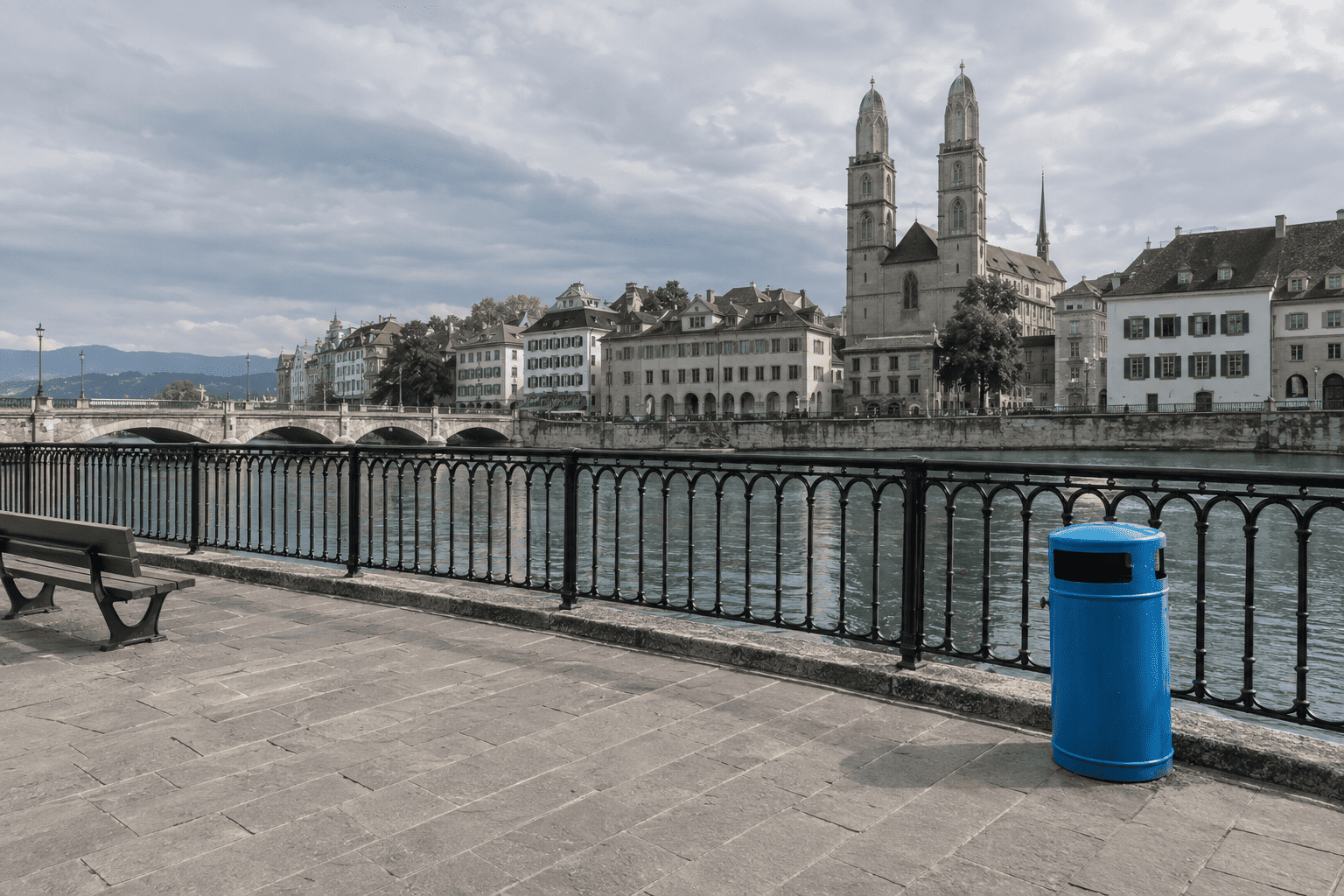
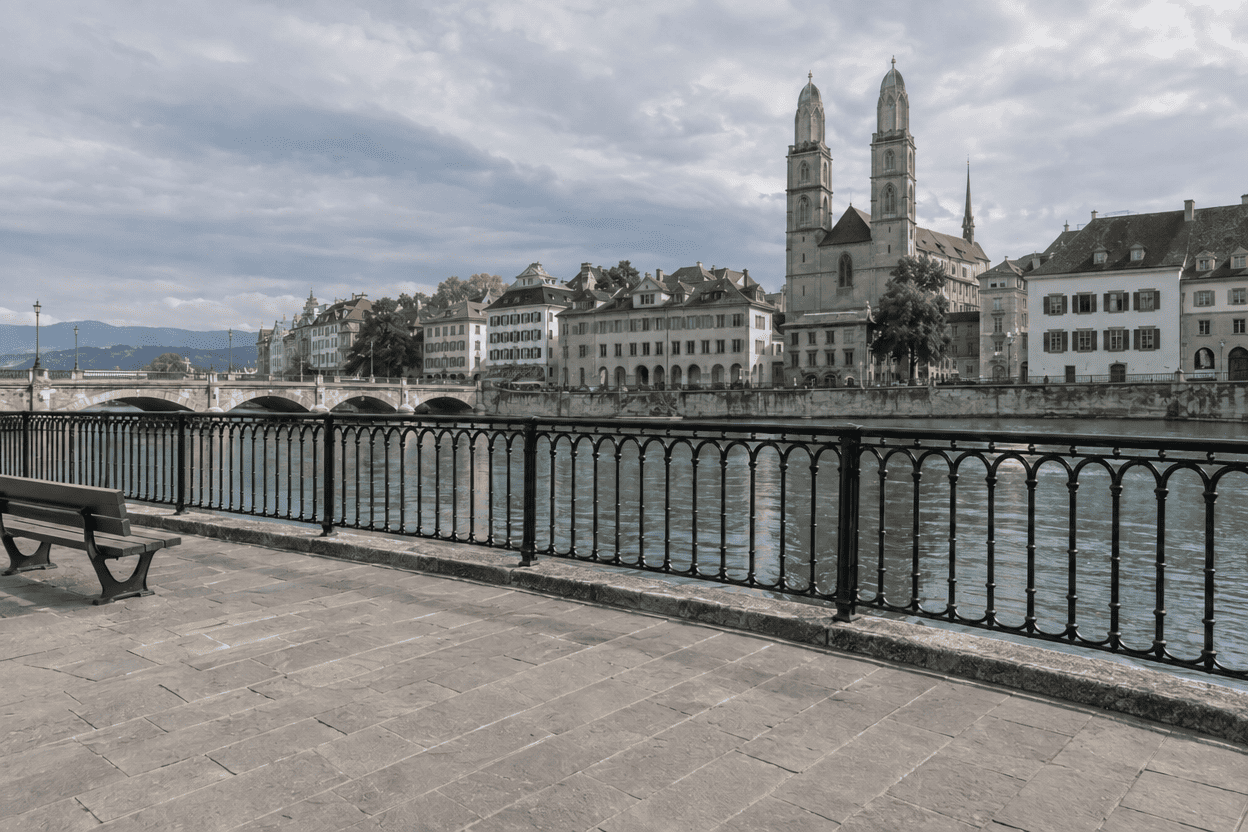
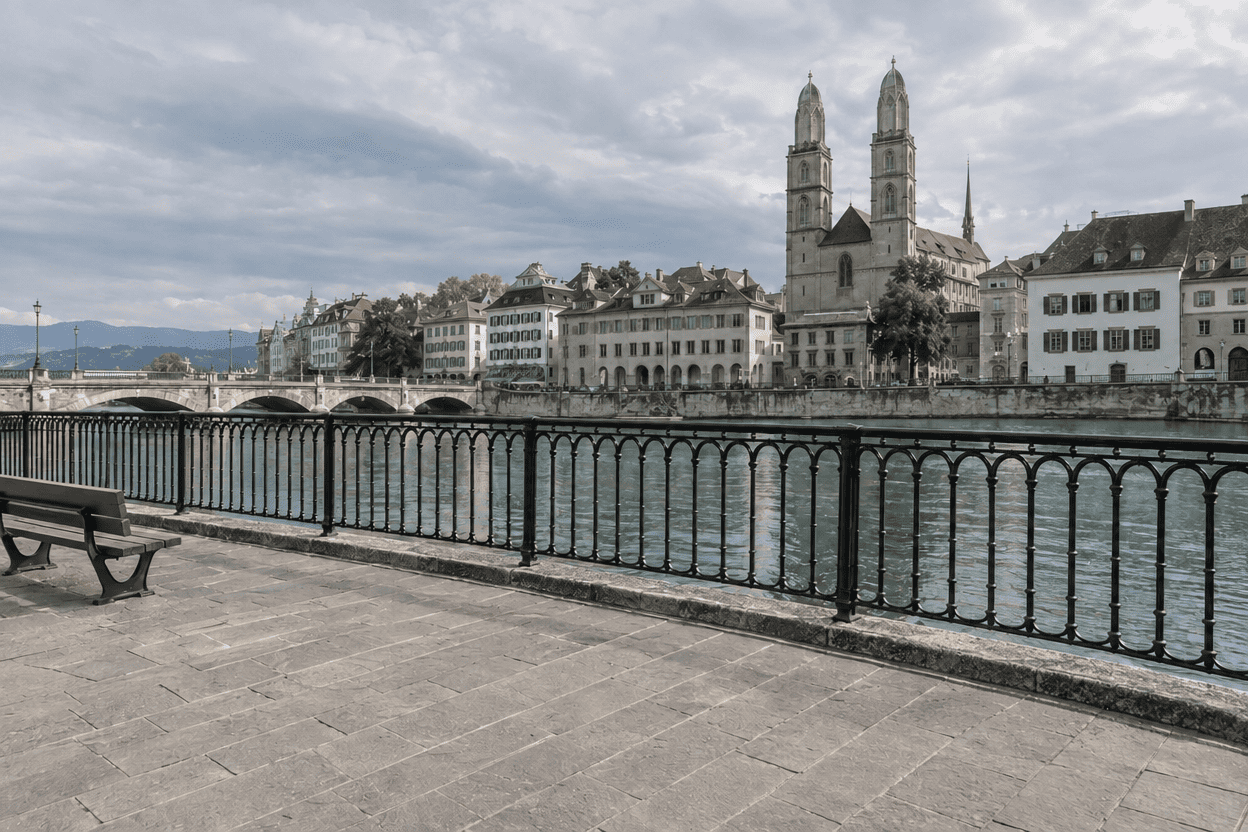
The travel scene contains one unambiguous target: the blue cylindrical trash can in the lower-right part of the photograph, directly in front of the iron railing. The surrounding paving joints, repeated metal bars, and stone curb make this a more informative removal test than an object sitting against a blank wall. The bench at the left and buildings across the river should remain.
All three attempts from each website option remove the blue can. At normal viewing size, the repaired area joins the surrounding pavement and railing convincingly. The bench, river, skyline, and principal building shapes remain in place. The six returned images are suitable for an ordinary travel-sharing use without an additional cleanup pass in this test.
That result needs a narrow description. The section of railing and ground behind the can was never visible in the source. The editor therefore creates a plausible continuation; it does not retrieve the scene as it actually existed. Repeated structures make it easier to spot a broken pattern, but they also make plausible invention relatively easy. A convincing row of bars is evidence of visual coherence, not historical correctness.
The enlarged comparison is the right place to check the edge of the curb, the base of the railing, and the paving that replaces the can's footprint. This source did not expose a conspicuous residual blue fragment or a major discontinuity in those areas. Small differences in texture and tone remain, and we would inspect a larger architectural print more strictly than a casual post. Neither option demonstrated a clear practical advantage across the three trials.
The request also illustrates why target descriptions matter. A phrase such as remove the object could point to the bench as easily as the can. Naming its color, shape, location, and relationship to the railing kept the two model options working on the same problem. No extra object was added to make the repaired area look busier or hide an error.
Exact test prompt
Remove only the single bright blue cylindrical trash can in the lower-right quadrant in front of the black iron railing from the uploaded photograph. Reconstruct the newly exposed area so it fits the surrounding perspective, textures, lighting, and visible architecture. Preserve all other people, objects, building details, shadows, colors, and framing. Do not beautify the scene or add anything new. Keep the photograph's original aspect ratio and overall appearance.
Test 4: Restore a Photo Without Inventing a New History
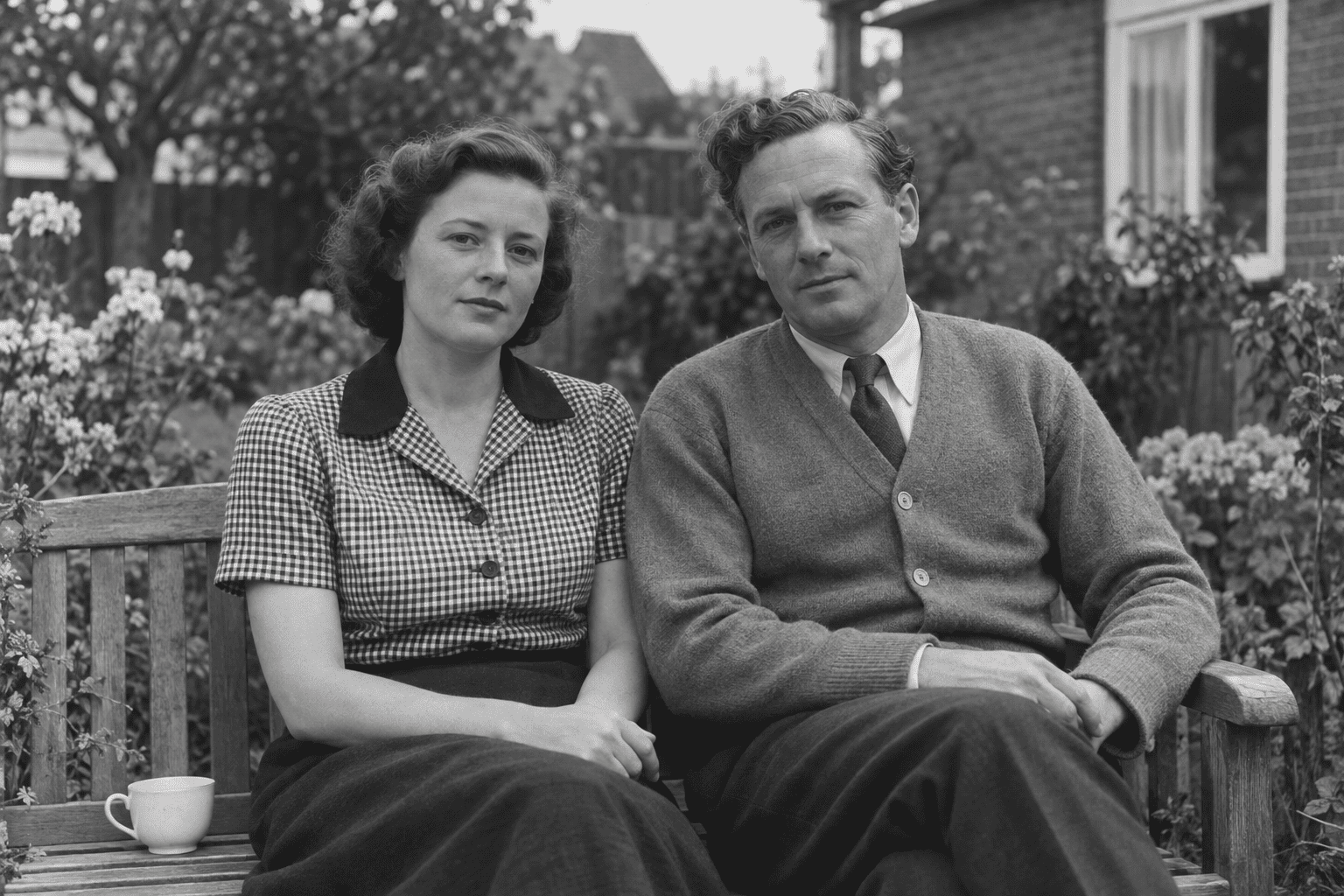
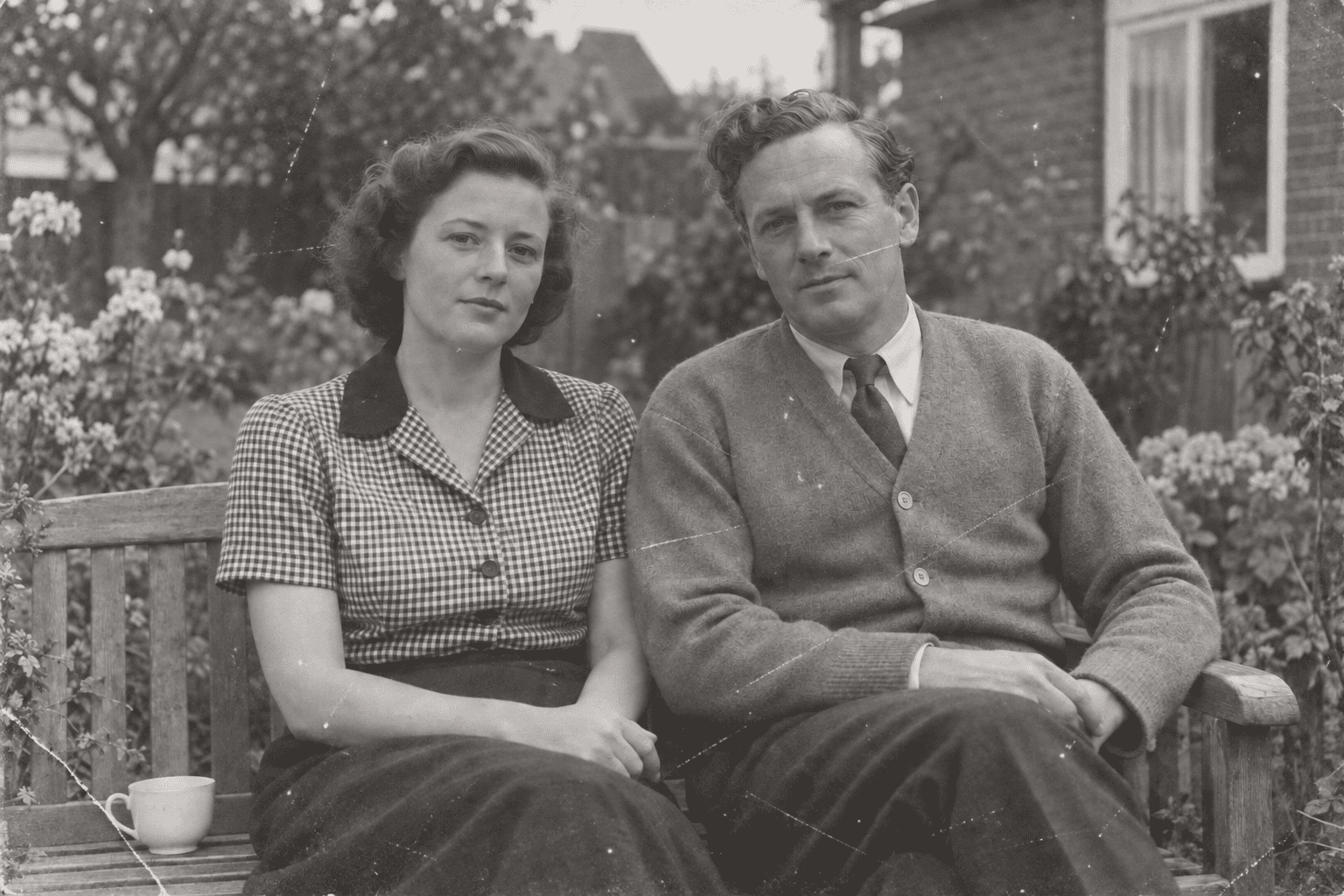
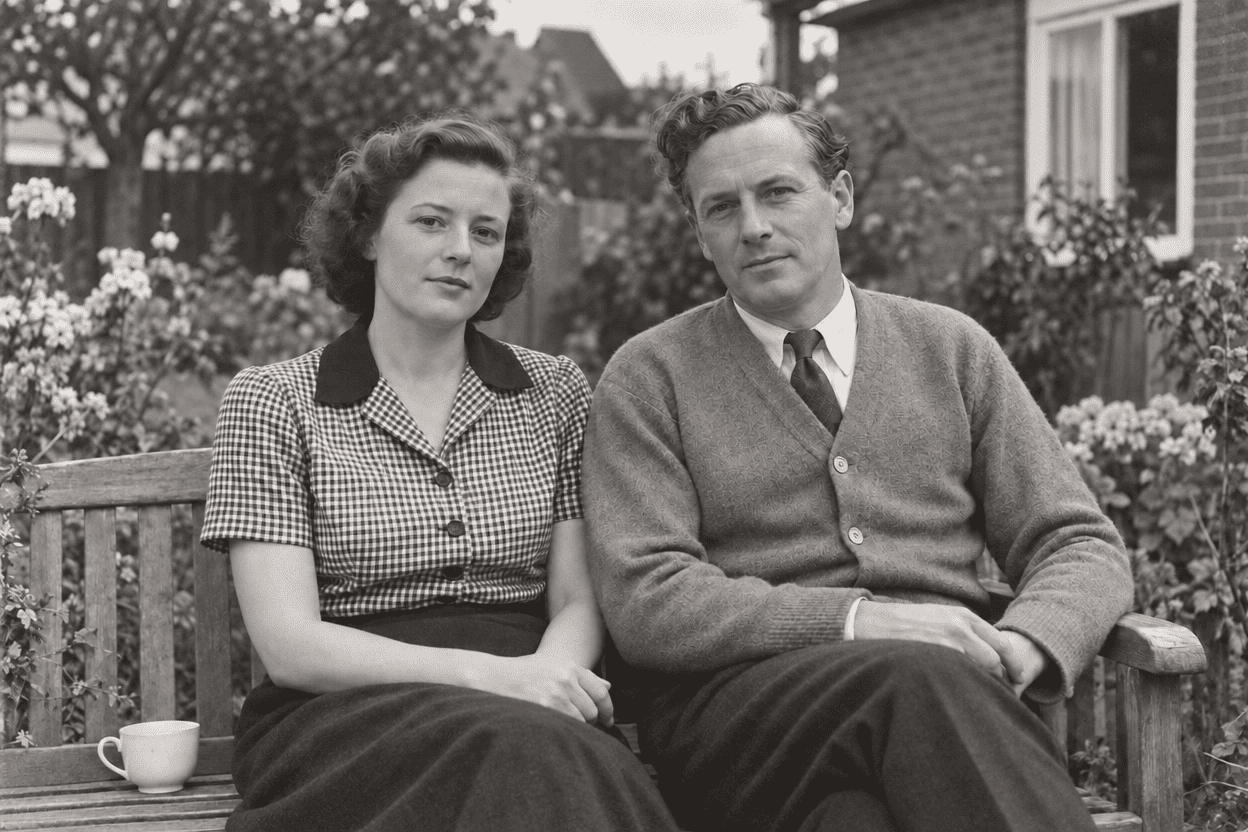
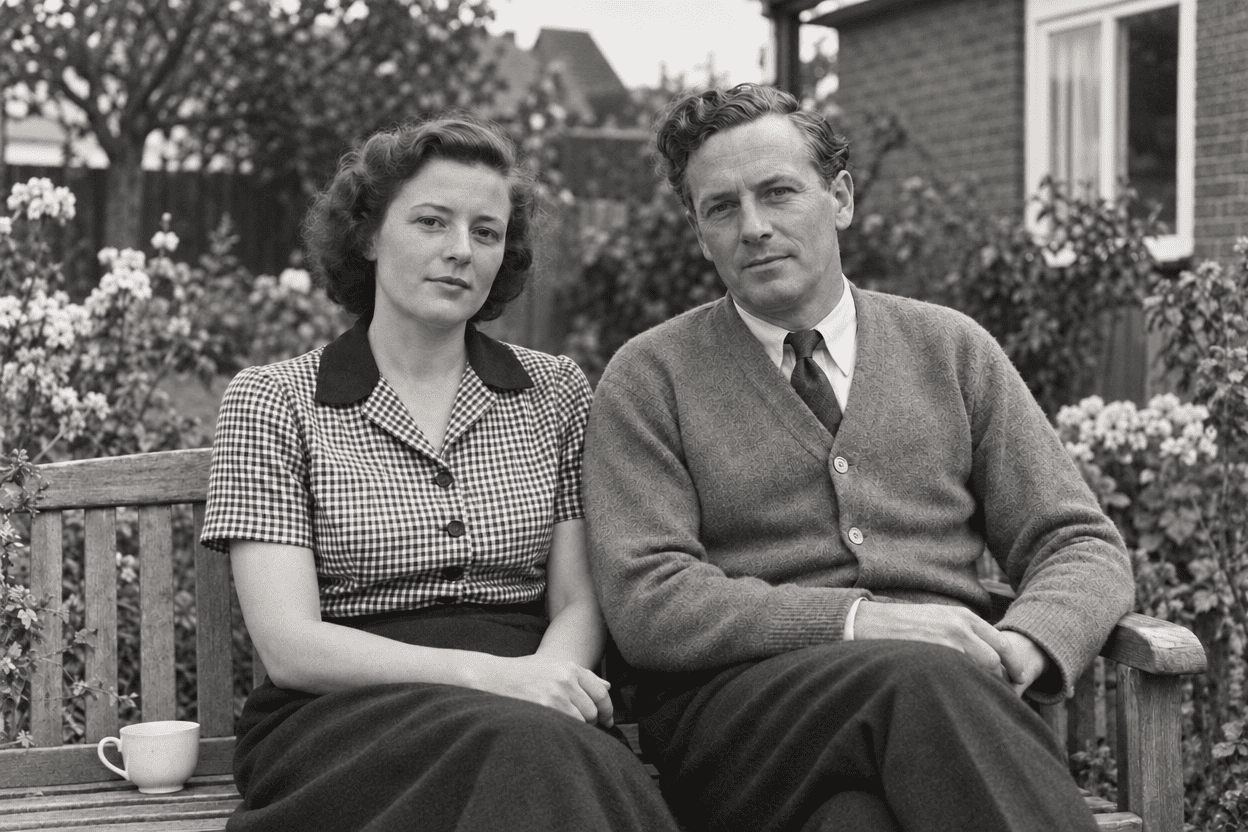
The restoration test begins with a clear, fictional black-and-white photograph of two adults on a bench. A checked blouse, the man's cardigan, and a small cup provide reference details beyond the faces. A separate imagegen edit introduces fading, scratches, dust, and a crease. Only that damaged file is supplied to the website editor; the clear version is reserved for comparison.
All three Flare and all three Sunburst outputs remove the prominent scratches and crease and make the photograph easier to read. The two seated figures, cup, bench, and garden remain. Flare's examples look somewhat more contrasty and crisp in this set; Sunburst's look gentler in tone. That is a visible rendering difference, not evidence that the crisper version is closer to the source.
The control itself exposed a useful problem. The generation step that made the damaged input also changed garment detail: the man's relatively plain cardigan acquired a more conspicuous decorative texture, and the woman's collar no longer matches the clear reference exactly. These changes are already visible before restoration. They persist in the cleaned results, where improved contrast can make them more apparent. It would be incorrect to attribute all of that invention to Flare or Sunburst.
Consequently, this case demonstrates cleanup on a synthetic damaged input, but cannot supply a clean historical-fidelity score. We retain all six restorations and mark them as unscored for faithful restoration, rather than count them as six failures by the website or six verified recoveries. A stronger follow-up would use a deterministic damage layer on a real authorized scan, with the underlying pixels preserved outside the damaged regions.
The practical lesson is to keep the clear reference whenever one exists and scrutinize the input preparation as carefully as the final result. A convincing vintage picture can still contain a newly invented textile pattern. This test supports a claim of reduced visible damage; it does not support a claim that lost historical information was recovered.
Exact test prompt
Conservatively restore this damaged photograph. Reduce scratches and fading, improve tonal balance, and recover clarity where the visible evidence supports it. Preserve facial identity, expression, clothing patterns, objects, composition, and the photograph's historical appearance. Do not modernize faces or clothing, add decorative detail, or invent readable text. Leave uncertain details understated rather than replacing them with confident new features. Preserve the existing color or monochrome treatment and the original aspect ratio.
Test 5: Create a Holiday Card You Would Actually Print
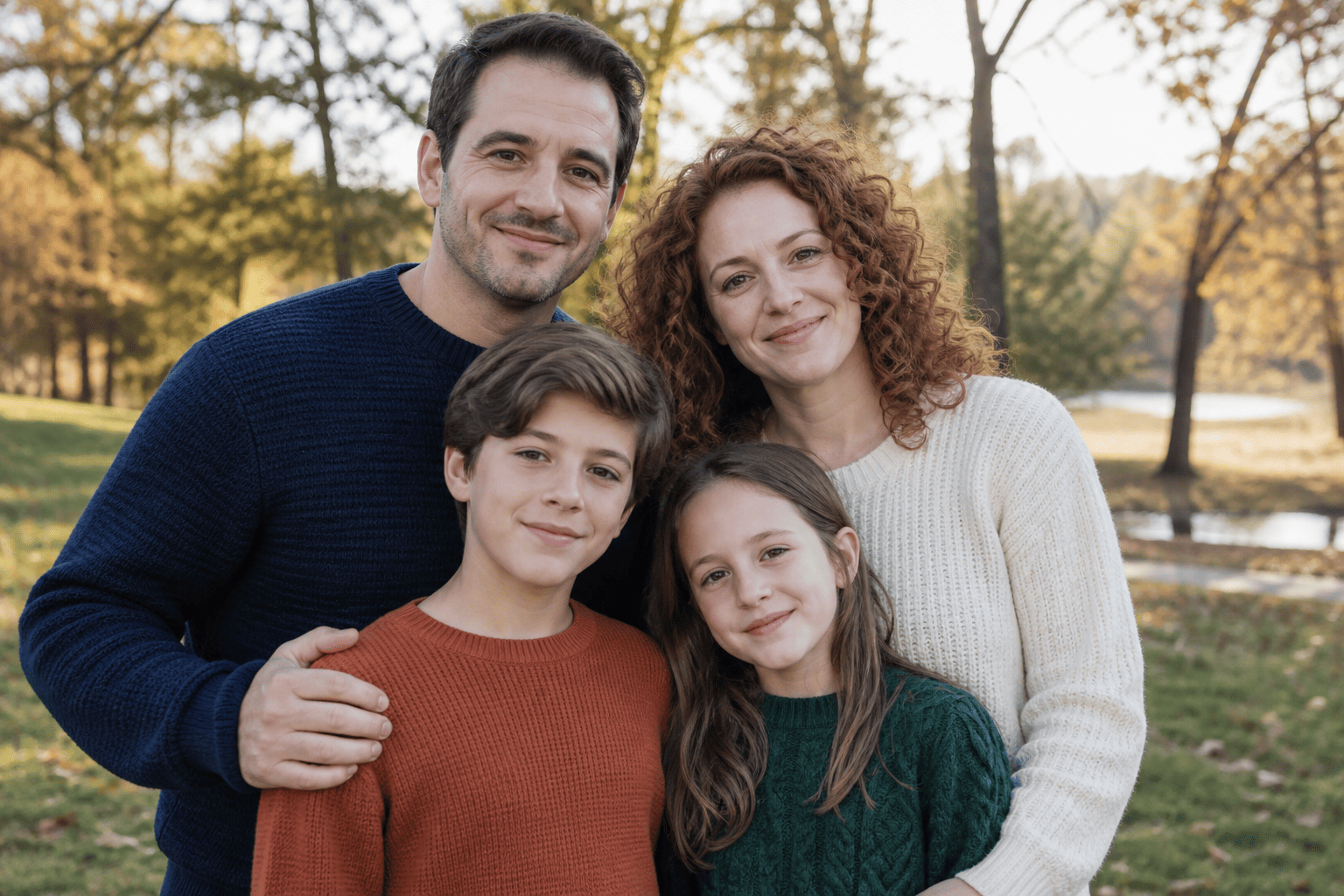
The holiday card asks for four recognizable family members, an evergreen-and-cream design, and exactly two lines of copy: Happy Holidays and The Miller Family. These are fictional people and a fictional family label. The source photograph is landscape, while the requested card is portrait, making layout and preservation part of the same task.
All three results from each option spell both lines correctly in the saved files. They retain four people and keep foliage away from the faces. Layouts vary: Flare's first card uses a flowing script greeting with a smaller serif surname, while Sunburst's first card uses a larger serif headline. Some later cards devote more space to the family photograph and less to the cream border. This is a more visible creative variation than the small tonal differences in the portrait test.
Recognizability is not exact likeness. Faces, skin texture, and hair are re-rendered inside the card, and a family should inspect each person individually. A correct surname and attractive border cannot establish that every expression or feature survived unchanged. For digital greetings, the results are useful design drafts; for an identity-sensitive family print, owner approval remains necessary.
The website offered no 5:7 control. We selected its nearest available 3:4 preset for both options while retaining the 5:7 request in the prompt. All six downloads were 880 by 1184 pixels, about 0.743:1, rather than the requested 0.714:1. This is a limitation of the tested interface and settings, not proof that the underlying model cannot produce a different size.
A 5-by-7-inch card at 300 pixels per inch requires 1500 by 2100 pixels. These files fall short and would need both aspect-ratio preparation and a larger suitable render or other finishing work. None was printed, cropped, enlarged, or manually typeset for this review. Accordingly, all six are classified as needing preparation for the requested print deliverable, even though the lettering is correct. We do not count them as print-ready successes.


Exact test prompt
Create a tasteful portrait-format holiday card using the uploaded family photograph. Preserve every person's identity, facial features, expression, skin tone, hairstyle, and clothing. Use a restrained evergreen-and-cream design with a clear area for text. Include exactly these two lines: "Happy Holidays" and "The Miller Family". Do not add any other words. Keep decorations away from faces and leave generous space between important content and the edges. Aim for a 5:7 aspect ratio suitable for a 5-by-7-inch card. Do not add or remove people.
Test 6: Does the Image Survive Three Rounds of Changes?
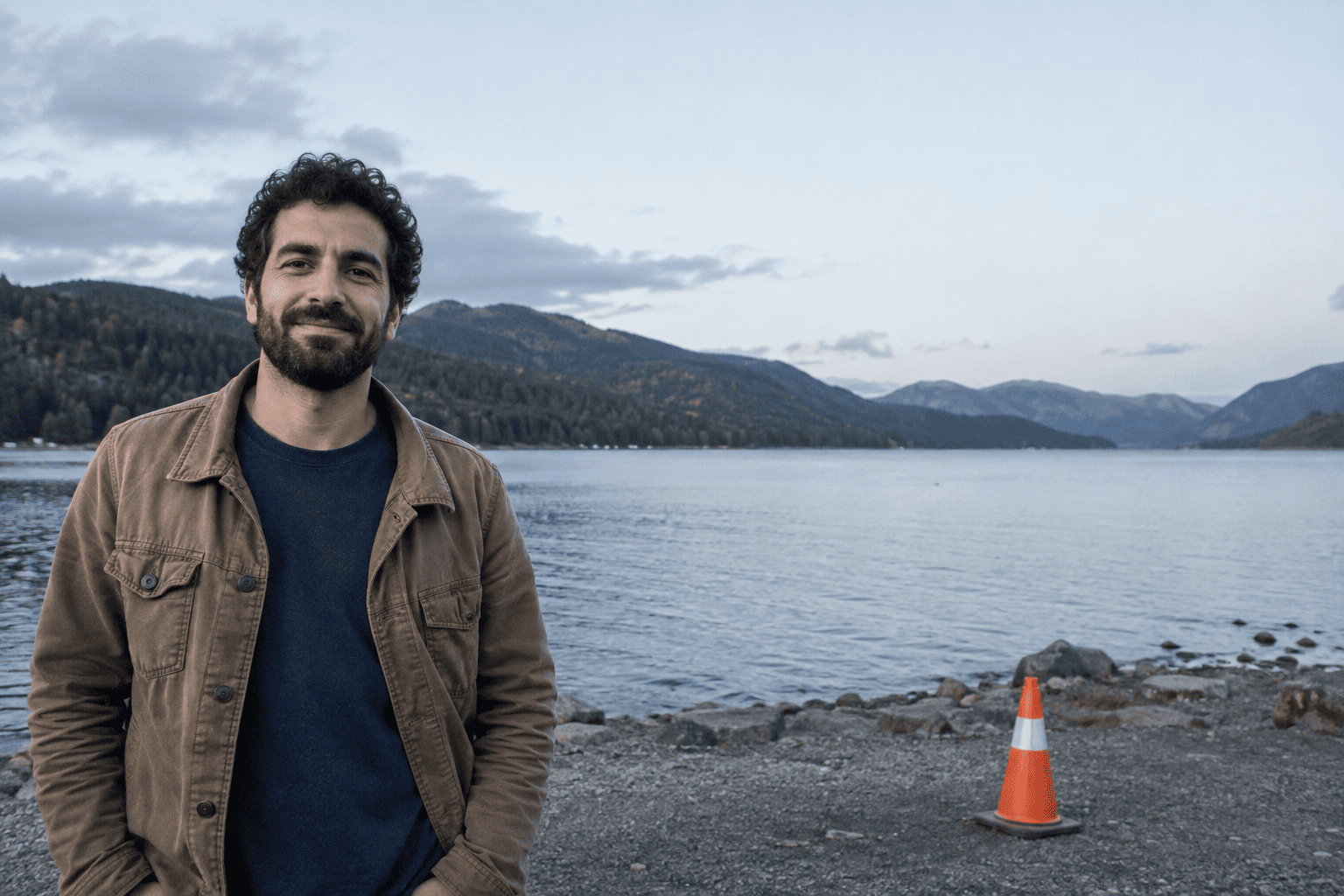
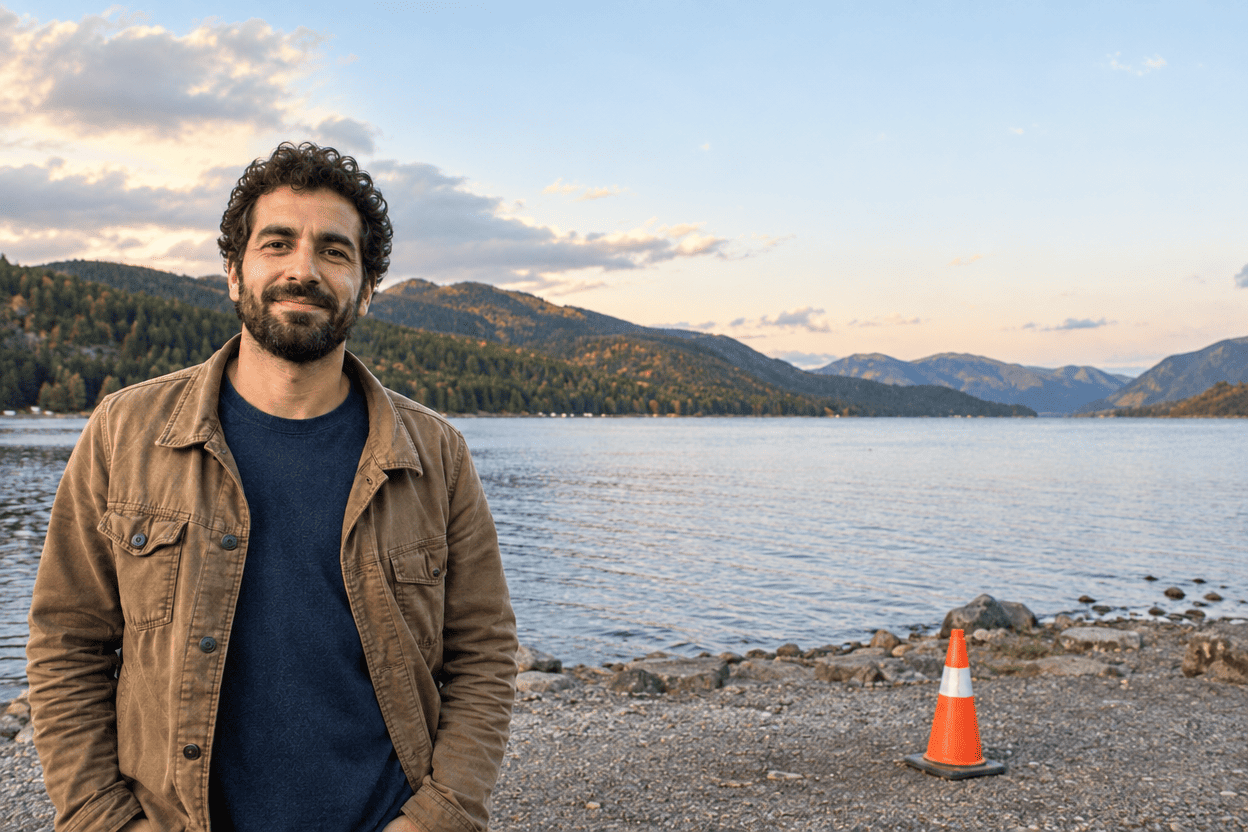
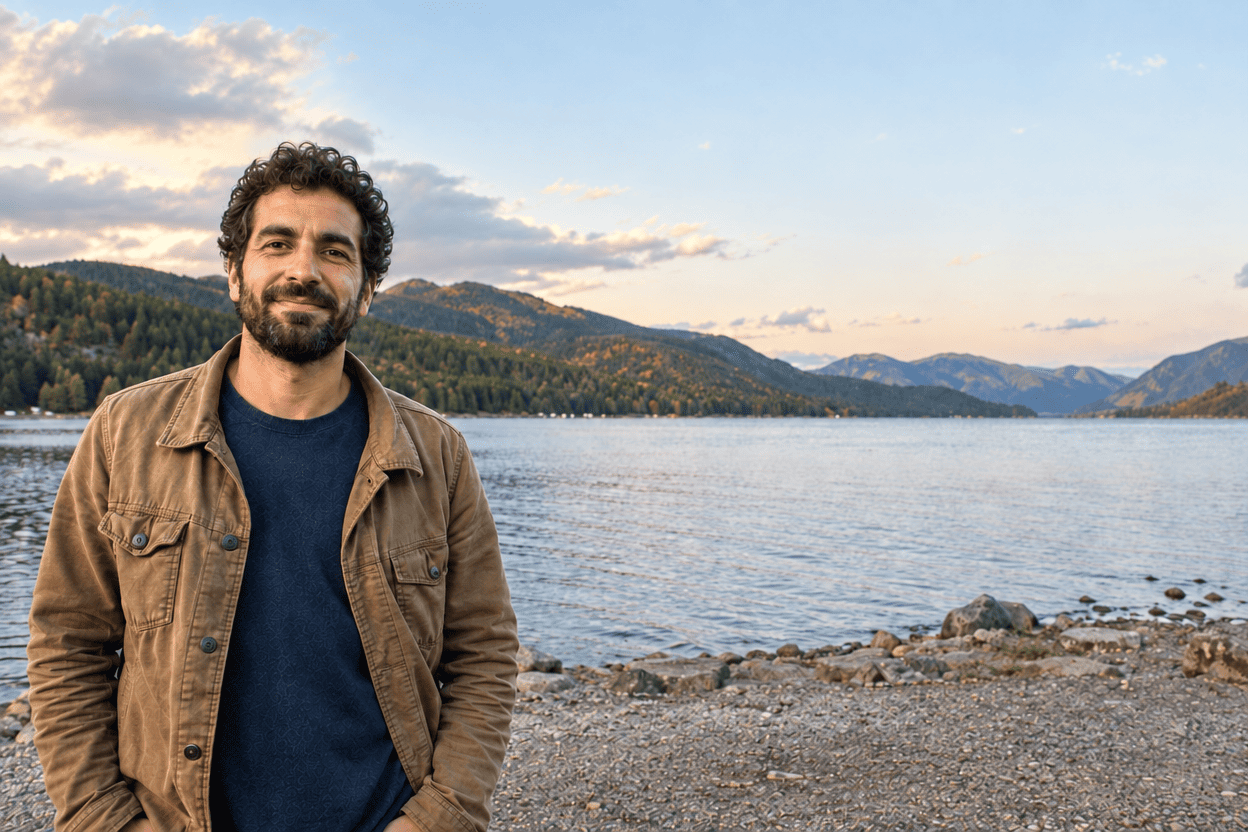
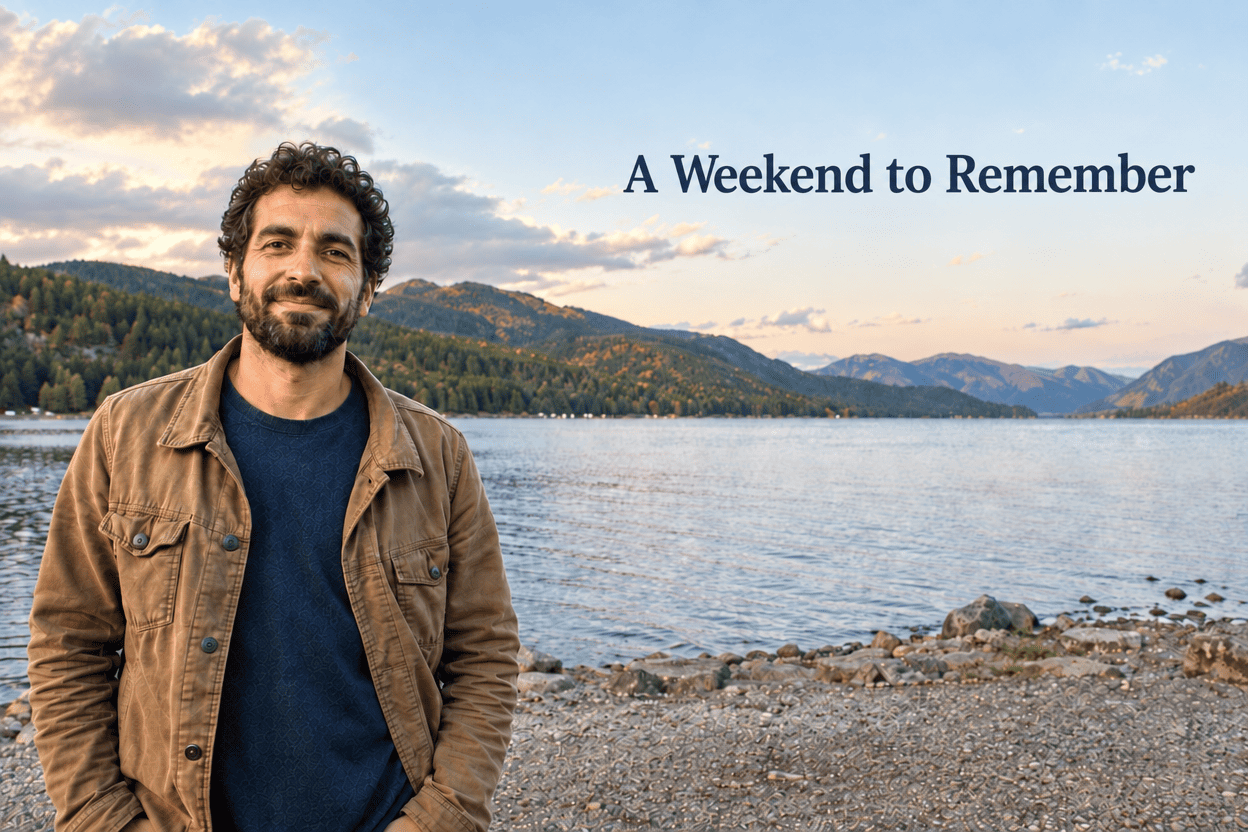
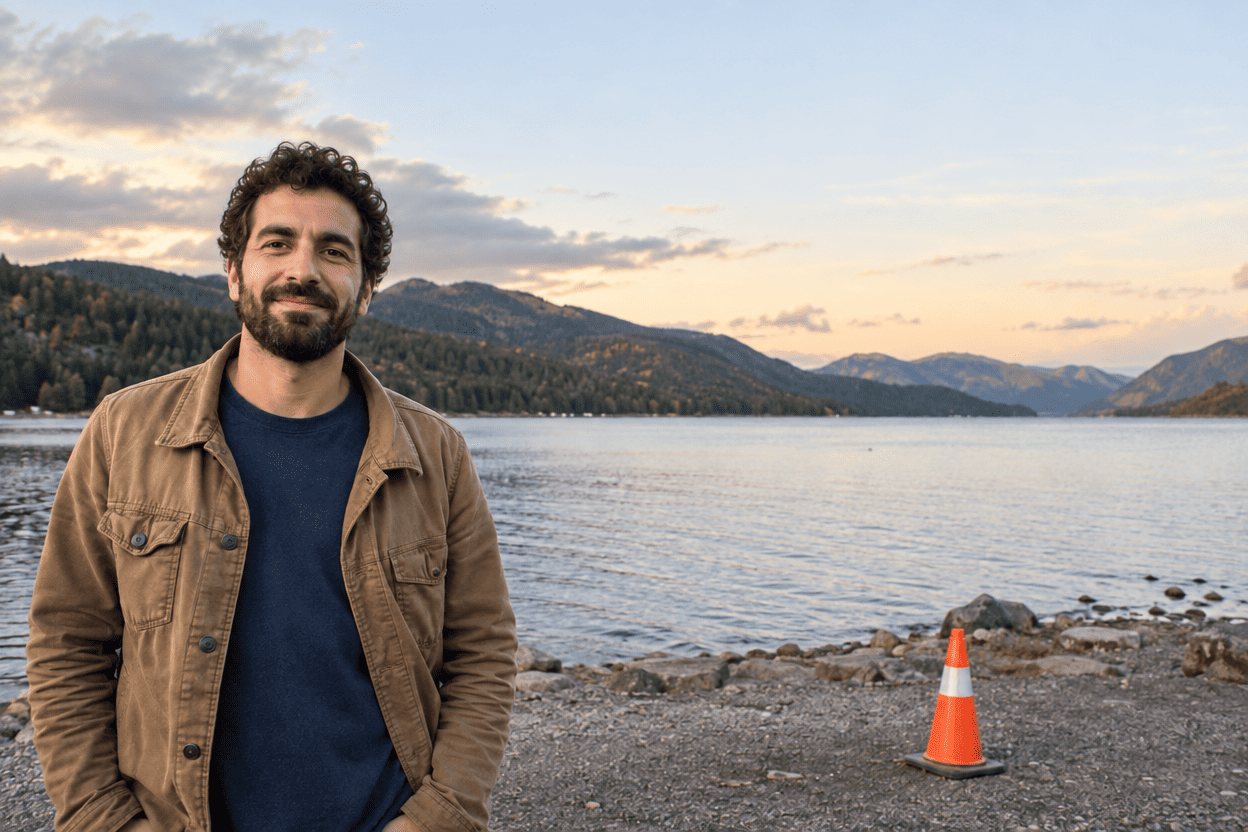
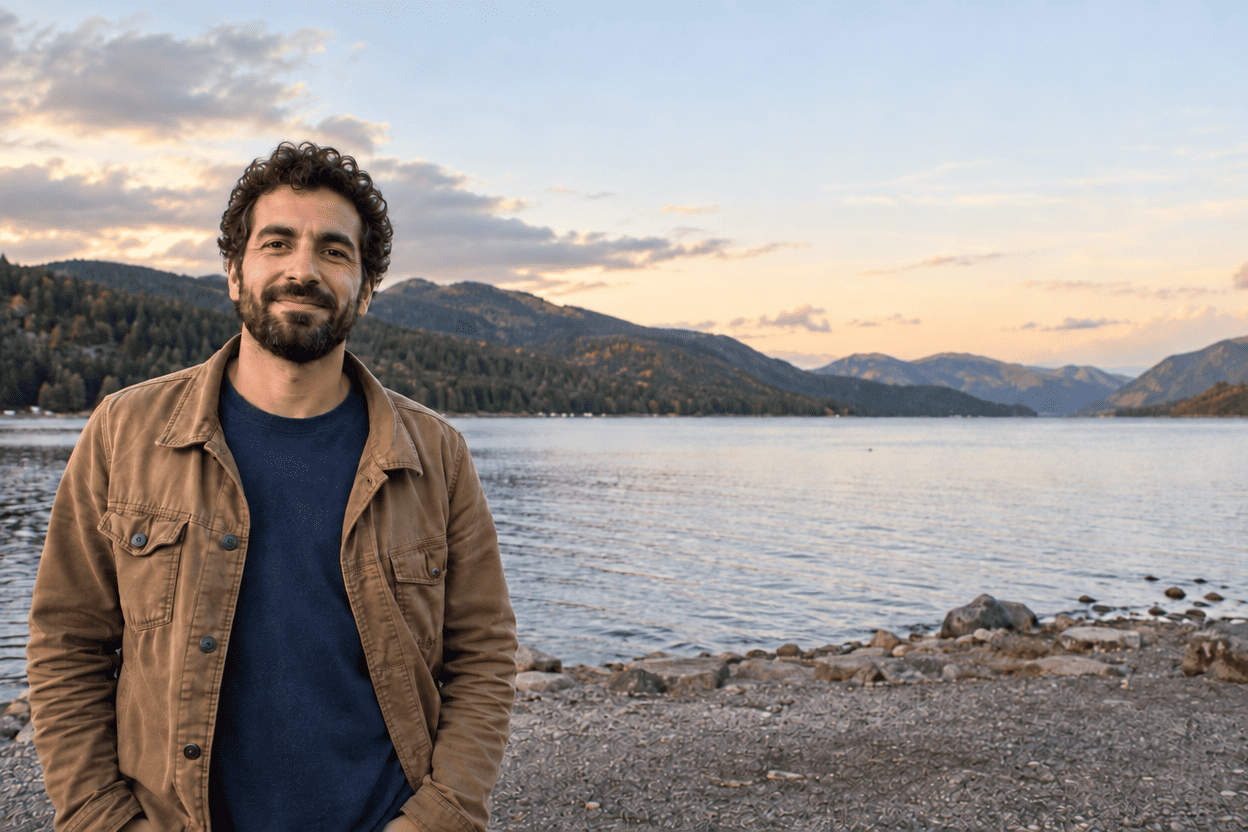
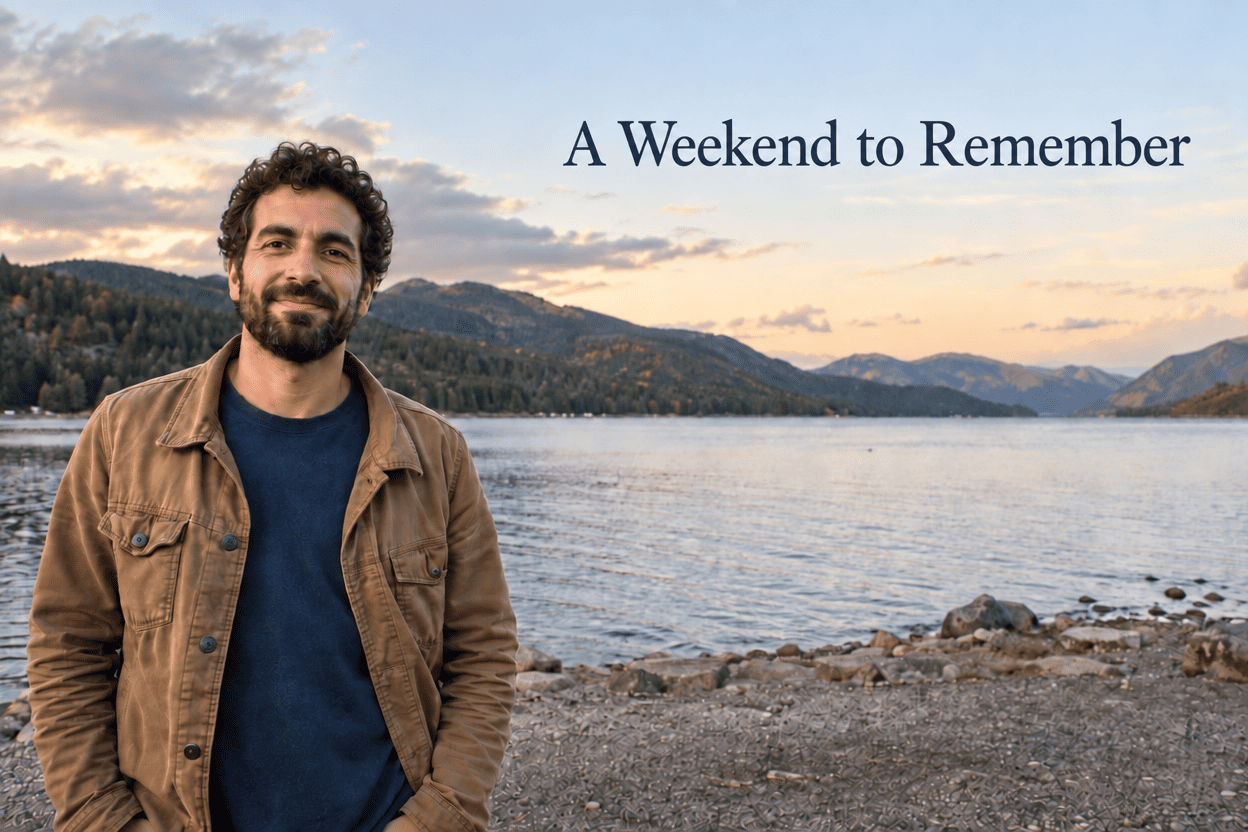
The sequence asks for slightly warmer, brighter light, removal of the orange-and-white cone at the lower right, and the exact caption A Weekend to Remember in the upper-right sky. Each output becomes the next input. Both options complete all three visible operations in all three chains: the scene becomes warm, the cone disappears, and the final caption is spelled correctly without covering the subject.
The preservation problem starts before the removal or lettering step. In all six first-stage results, the overcast sky becomes a much more dramatic arrangement of warm, sunset-like clouds. The mountain and shoreline detail is also re-rendered. This goes beyond a modest exposure and white-balance adjustment. The subject remains recognizable, but the final picture records a more substantial reconstruction of the scene than the narrow brief asked for.
Later steps generally retain that new warm interpretation. The removed cone does not return when the caption is added, and the final text remains in the requested open sky. The type style and size vary between chains. The result can be an attractive creative travel image, yet that does not undo the first step's drift. Comparing only stage two with stage three would miss the most consequential change.
Under a strict requirement to preserve the scene while making these limited changes, none of the three chains per option is accepted unchanged. This is not a claim that none is worth sharing: all six execute the requested removal and caption. It is a finding that the complete, constrained workflow needs correction or a new attempt. No corrective run was performed, so there is no measured time or cost to a strictly acceptable final sequence.
Step 1 prompt
Exact test prompt
Make the lighting in this photograph slightly warmer and brighter while keeping it realistic. Preserve the subject's identity, expression, pose, clothing, every object, and the composition. Do not retouch facial features or remove anything. Keep the original aspect ratio.
Step 2 prompt
Exact test prompt
Keep the lighting and all other details of this current image. Remove only the single orange-and-white traffic cone on the gravel shore in the lower-right quadrant. Fill its area naturally. Do not change the subject, crop, colors, or any other objects.
Step 3 prompt
Exact test prompt
Keep this current photograph unchanged except for adding the exact caption "A Weekend to Remember" in the existing empty area at the upper-right sky, above the distant mountains. Use clean, readable lettering that does not cover the subject. Preserve all previous edits. Add no other text or decoration.
Speed, Retries, and the Cost of a Finished Photo
The baseline produced 48 saved outputs and consumed 144 website credits: 24 calls and 72 credits per option. Every observed call cost three credits at 1K, High, PNG. There were no additional image-producing correction attempts; three repetitions per task were planned trials rather than retries selected until a flattering result appeared.
A browser-side observer measured submission to a fully loaded new preview, excluding local download and visual inspection. Flare's first portrait lacked that observer. A later Flare restoration had a browser connection interruption with a disagreement between clocks. Both timings are excluded, while the corresponding outputs and charges remain included. The remaining observed median was 38.0 seconds for Flare and 45.6 seconds for Sunburst. This describes the tested browser service, not an isolated inference-time benchmark.
Cost per usable output depends on the definition. Across the explicitly accepted A–C digital-sharing subset, 27 credits produced nine usable outputs per option: three credits each. Across the entire baseline, 72 credits divided by those nine accepted outputs is eight credits each, including spending on unaccepted and unscored tasks. That is this mixed test budget, not a universal service price. Strictly accepted F sequences numbered zero, so cost per successful F sequence is unavailable. No dollar conversion or human review-time estimate is invented.
| Measure | Flare | Sunburst |
|---|---|---|
| A–C accepted for ordinary digital sharing | 9 / 9 | 9 / 9 |
| D faithful restoration | Unscored: 3 outputs | Unscored: 3 outputs |
| E ready for specified print deliverable | 0 / 3 | 0 / 3 |
| F accepted with strict scene preservation | 0 / 3 chains | 0 / 3 chains |
| F cone removal and exact final caption | 3 / 3 chains | 3 / 3 chains |
| Timed image calls after exclusions | 22 | 24 |
| Median observed completion | 38.0 s | 45.6 s |
| Observed completion range | 31.8–85.5 s | 37.1–70.2 s |
| Baseline spending | 72 credits | 72 credits |
| A–C spending / accepted A–C outputs | 3 credits | 3 credits |
| All baseline spending / accepted outputs | 8 credits | 8 credits |
| Dollar cost; human review time | Unavailable; not measured | Unavailable; not measured |
What These Results Can—and Cannot—Tell You
This is a small, task-specific website test. It uses six generated sources, not six representative samples of every photographic problem. An editor that performs well on these relatively clean images may behave differently with motion blur, compression, dark skin under difficult lighting, unusual pet markings, or damaged paper scans. The visual similarity between repeated outputs is an observation about this set, not evidence that the service is deterministic.
The restoration exercise has an additional limitation: generative damage changed some source details before the tested editor received the input. It can show scratch cleanup and the persistence of unsupported texture, but it cannot isolate every difference as a restoration-model error. That task is therefore reported separately from the scored readiness count. It should not be used to advertise a historical accuracy rate.
The site controls and model labels are visible; the upstream implementation is not independently verified. No seed control, exact snapshot, or hidden preprocessing was available to record. High quality on two labeled options also does not establish equal computation. These restrictions are why the verdict stays with the visible results and measured website workflow, rather than a broad ranking of the underlying models.
Practical Questions Before You Try These Edits
Should I reuse these prompts? Yes, as starting points. Replace the object and location description to match your own photograph. Keep a short list of details that matter: a particular pair of glasses, a pet's marking, a surname, or an object that must stay. For an initial comparison, use the same source and instruction on both options.
Is a result that looks good on a phone finished? It may be finished for a casual post. Before printing or preserving it as a keepsake, enlarge the face, edges, small lettering, and any changed background. Check the downloaded pixel dimensions as well as the preview. A larger file alone does not demonstrate accurate detail.
Can another editor finish the job? Yes. Cropping a card or correcting lettering can be a sensible final step. Keep that work separate from the untouched model output, and do not credit the generator with a correction made elsewhere. The files in this package have not received those finishing edits.
What should I keep when a run fails? Keep the prompt, input, task identifier if supplied, settings, visible error, and balance change. An upload or connection problem is a workflow issue; it is not automatically an image-quality failure. Do not submit again until you have checked whether the first job completed and was charged.
Final Verdict: Which Edits Are Worth Trusting?
For ordinary digital sharing, the three simpler tasks offer the strongest evidence in this set. Both website options brighten the portrait, replace the dog's surroundings, and remove the blue can successfully across three repetitions each. There is no compelling visual reason to declare one the universal winner. Flare's lower observed median wait is useful workflow information, but it is not a substitute for checking the image.
The boundaries are more instructive than a star rating. Fine facial and coat details are rendered again. The six holiday cards spell the text correctly but still need preparation for the requested print format. The six editing chains remove the cone and add the caption while inheriting an over-transformed sky from the first step. The restorations look cleaner, yet the source-damage process prevents a fair archival-accuracy score.
These results support using the tools for creative drafts and selected everyday edits with a saved original and a deliberate final check. They do not support trusting an image merely because it looks polished at phone size. For a keepsake, identity-sensitive portrait, or tightly controlled revision, the important question remains whether the protected detail survived. Neither website option removes the need to make that judgment.
Test Materials and Update Notes
The full evidence gallery includes every baseline output, organized by task and website model option. Prompts, timing observations, and credit costs are presented in this article. The main article shows the first result for each case rather than a hand-picked later attempt.
All source photographs and the damaged input were generated using the built-in imagegen tool. The subsequent evaluated edits were made on the user-selected website. The account already held credits; no new credit pack was purchased during testing. The account's original funding, any sponsorship arrangement outside this project, and actual dollar cost were not independently verified. No blind panel or physical print inspection is claimed.
Initial test and article preparation: September 9, 2026. Browser connection and local-download interruptions were documented separately from generation retries. This is the initial edition, with no later model retest or manually corrected image presented as an original output.