
Should you upgrade?
Start with the part of your current workflow that needs to improve.
Try 2.5 on the tasks that cost you the most revisions.
OpenAI positions Flare around quality, editing, and speed improvements, and Sunburst around additional precision for detailed work. Those are useful starting points for choosing what to compare. They do not establish which model will best handle your own brief.
If GPT Image 2 already gives you usable results, compare a few familiar jobs before switching. Look for fewer corrections, better preservation, or a lower cost to reach an acceptable image.
Three models, at a glance.
Official positioning alongside the supplied image set.
| What matters | GPT Image 2 | GPT Image 2.5 Flare | GPT Image 2.5 Sunburst |
|---|---|---|---|
| Official positioning | Image generation and editing with flexible sizes and high-fidelity inputs. | Quality, editing, and speed improvements in the 2.5 family. | Additional precision for detailed creative work, with longer generation times. |
| Role in this comparison | The baseline for deciding whether to switch. | A candidate for frequent creation and iteration. | A candidate for edits where small details matter. |
| Text, product & portrait examples | Original images below | Original images below | Original images below |
| Supplied image dimensions | 1254 × 1254 · Medium | 1024 × 1024 · Medium | 1024 × 1024 · Medium |
| Two-step editing sequence | Two edits shown | Two edits shown | Two edits shown |
| Measured time & task cost | Not yet measured | Not yet measured | Not yet measured |
What changed in 2.5?
The useful question is how a change affects your finished image.
Detail you can inspect.
OpenAI describes more natural lighting and richer textures. Inspect small lettering, edges, and materials at full size before deciding whether a result is more useful.
Edits that keep their focus.
The announcement emphasizes reference-subject preservation and following instructions across edits. Our product, portrait, and room cases are designed to examine those behaviors.
Time to an acceptable result.
The official latency claim is up to 50% lower than Images 2.0. A faster first image and a faster completed task are different measurements; both need their own records.
Four tasks.
Three perspectives.
Explore 15 supplied outputs and nine model-specific references. Click any image to open its original file. The prompts below are the planned briefs; exact submitted prompts were not independently recorded.
Poster text & layout
Can it get the words right?
A bicycle-workshop poster puts exact wording and visual hierarchy in the same brief. A polished layout only passes if the date, address, and smaller text are also correct.



What to inspect
- All seven text strings match the prompt.
- The title is largest; the badge sits in the upper-right corner.
- The wheel sits in the lower-right quarter, with no extra text.
Visible observations
The supplied posters show different title wrapping, wheel scale, and spacing. Inspect the date, address, and smaller lettering in each original; a visually appealing layout is not the same as exact compliance with every placement instruction.
Read the planned test prompt
Generate the poster
Design a finished square promotional poster for a fictional neighborhood bicycle repair workshop. Use a warm ivory background, dark navy typography, and one muted red accent. Include a clean illustration of one bicycle wheel in the lower-right quarter. Make the information easy to read with a clear visual hierarchy and generous margins.

Render exactly the following text, with the title largest:
FIX & RIDE
Community Bike Workshop
Saturday, October 17
10 AM - 2 PM
18 Willow Street
Bring your bike. Learn the basics.
FREE ENTRY

Place FREE ENTRY inside a small outlined badge in the upper-right corner. Keep all other text on the left. Do not add any other words, dates, logos, watermarks, or decorative pseudo-text. Deliver the poster itself, not a photograph or mockup of a poster.
Product editing
A new background. The same product.
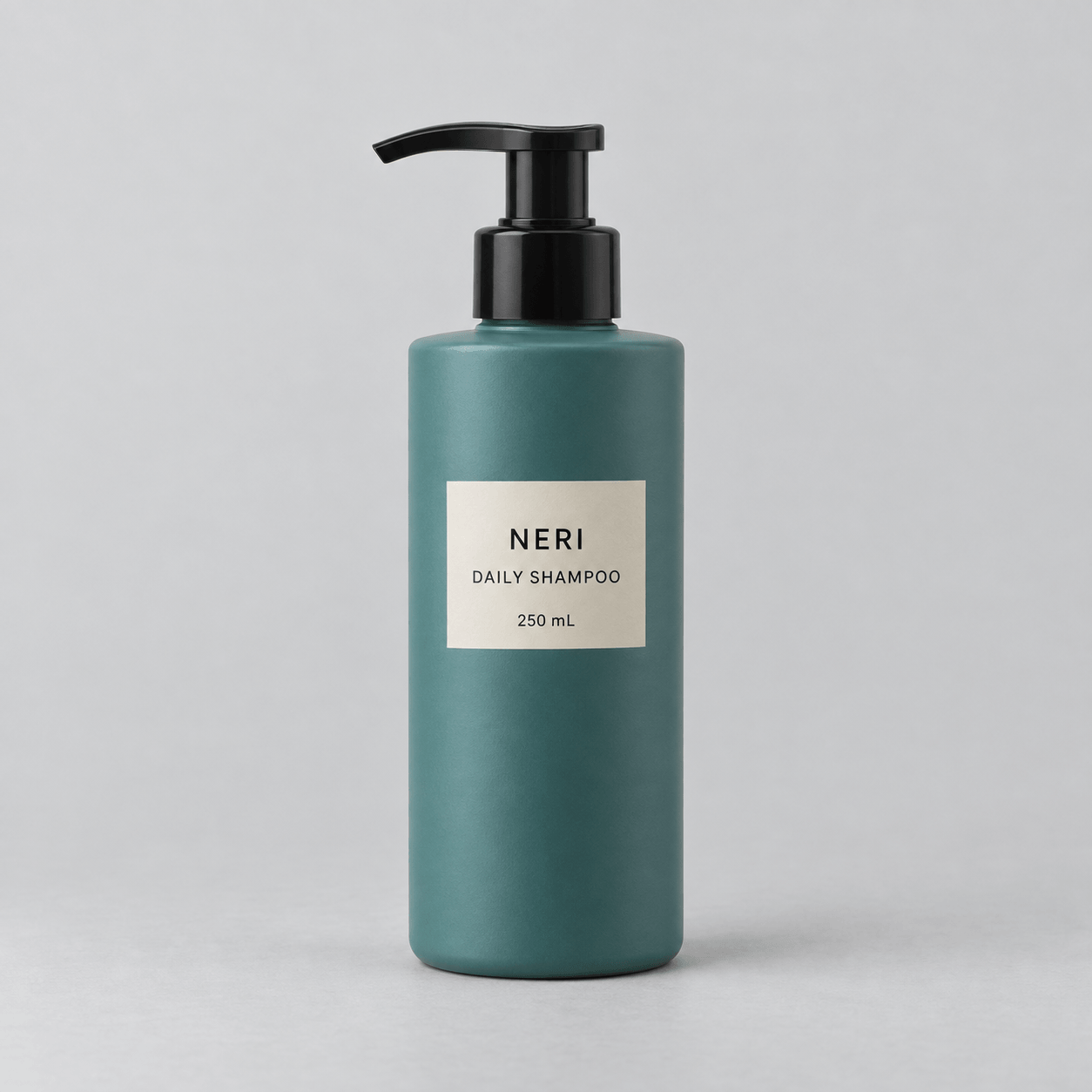
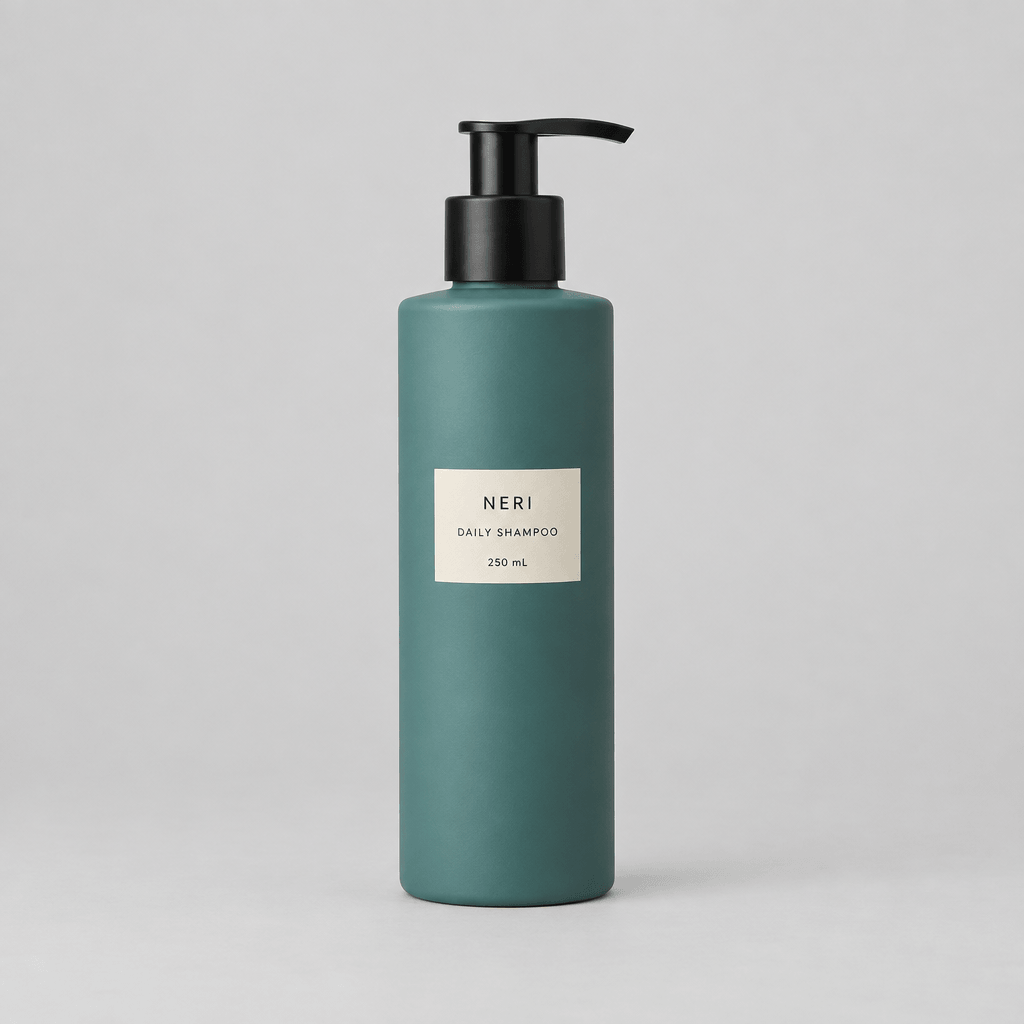
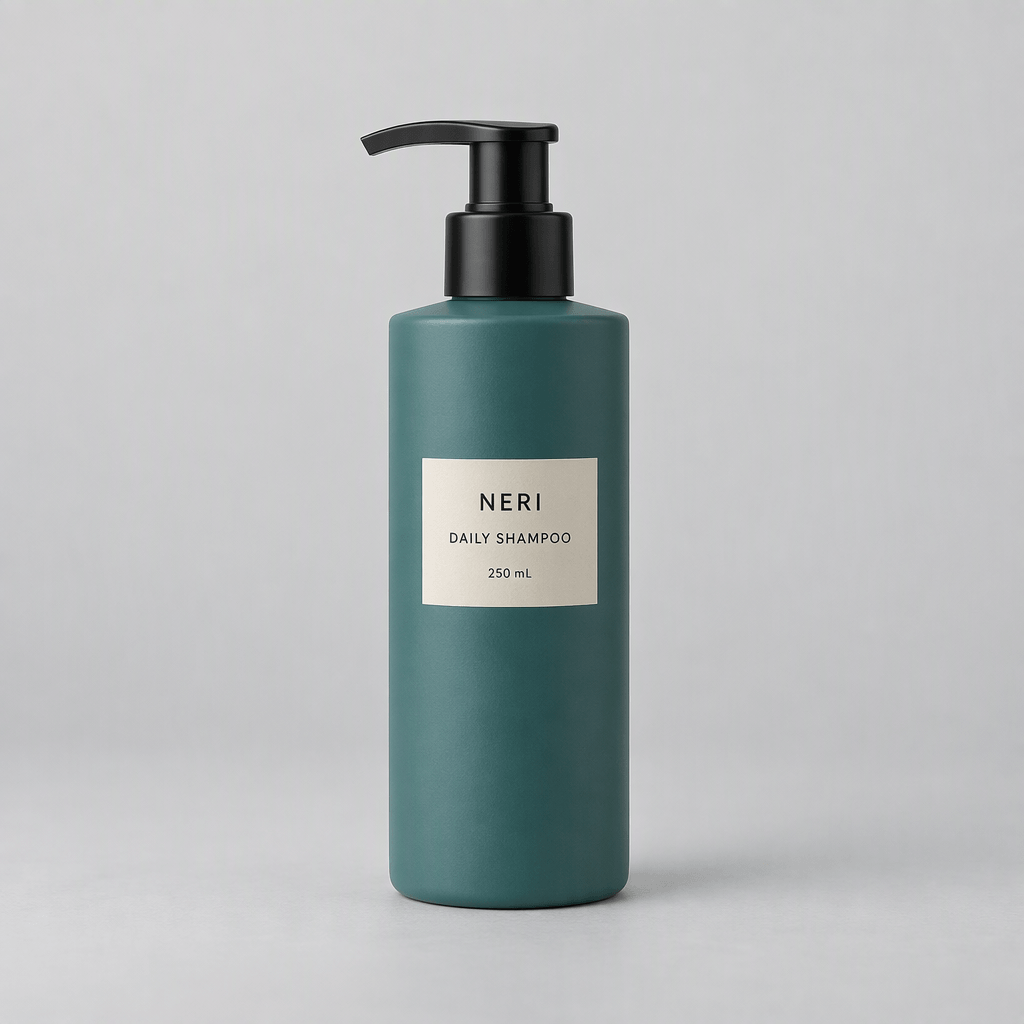
Replacing a studio backdrop is useful only if the product survives the edit. This case checks the label, pump, silhouette, and scale before judging the new setting.
Model-specific reference images
Each column uses a different supplied starting image. Compare an edit with the reference in its own column.
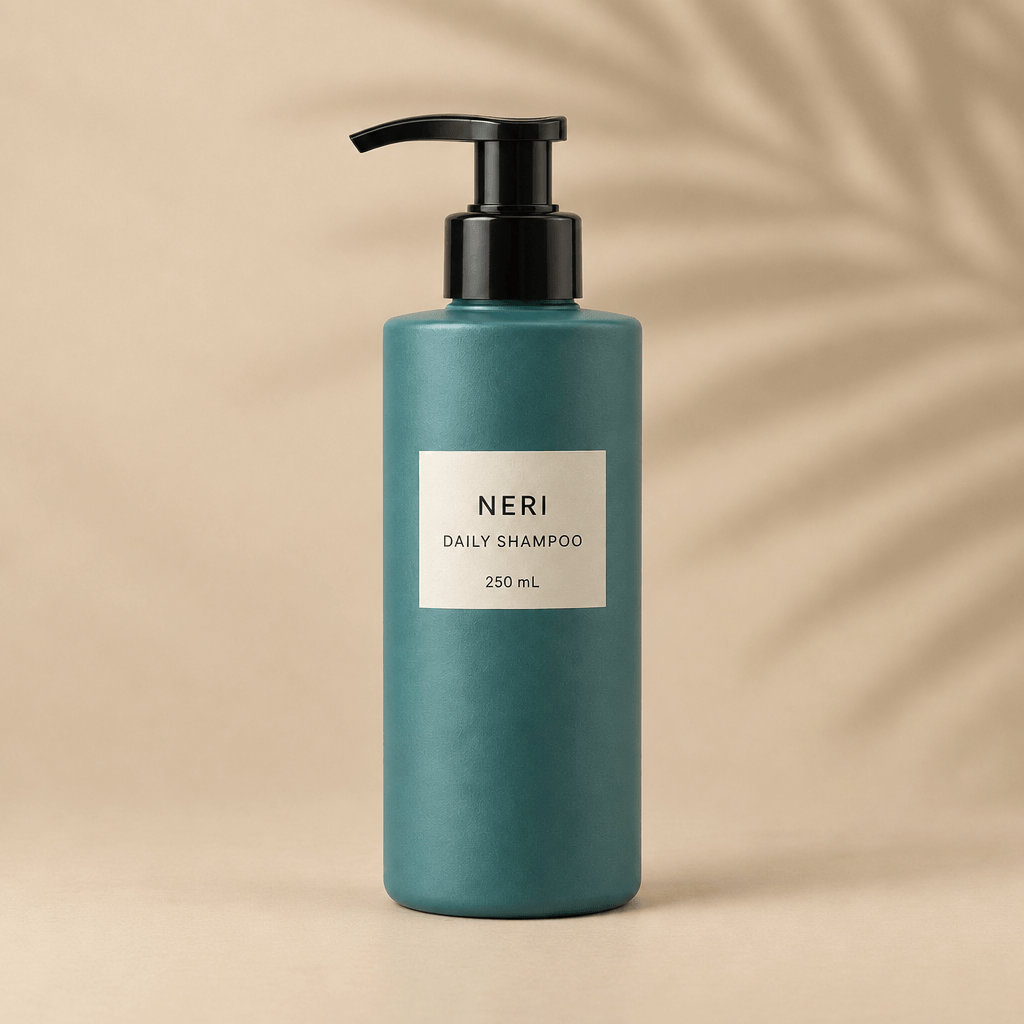
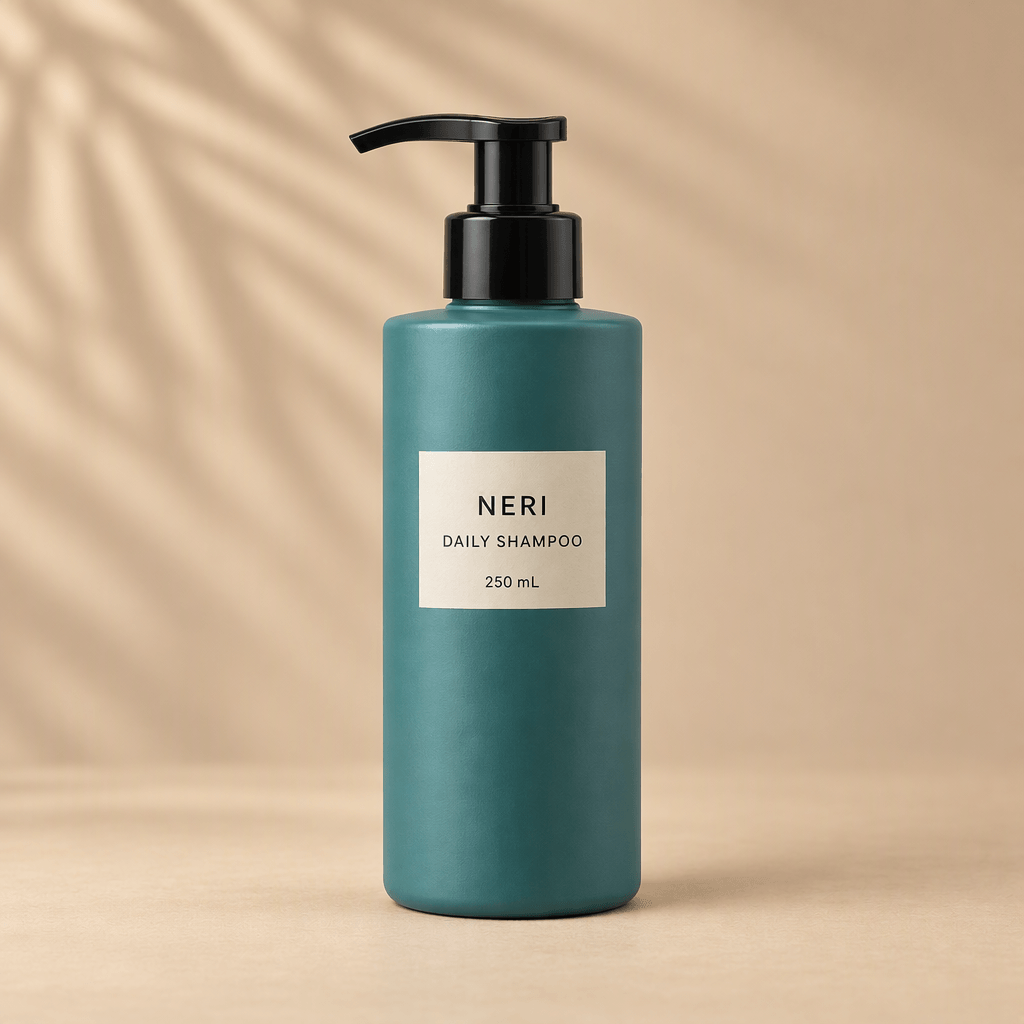
What to inspect
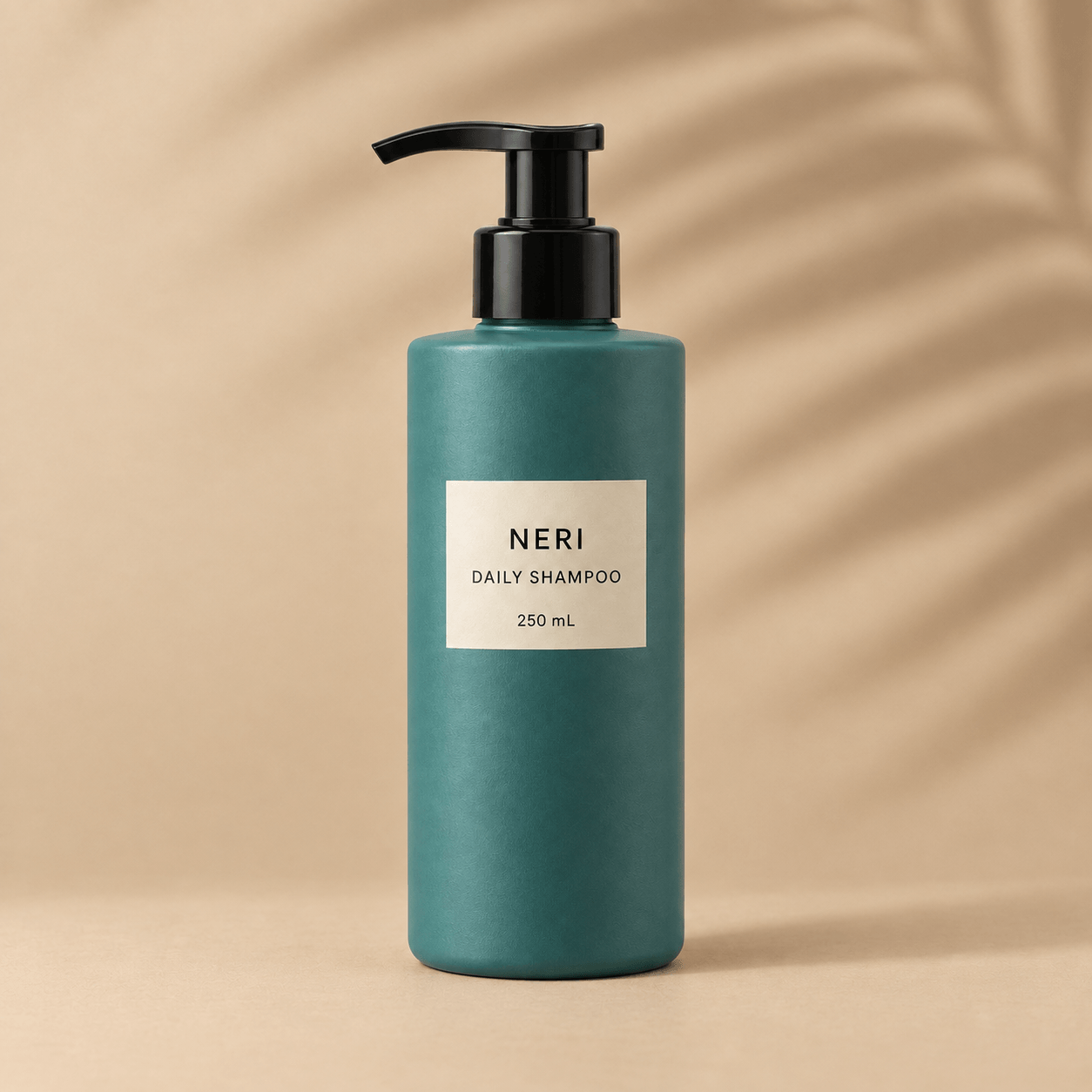
- The background becomes beige with a palm-leaf shadow.
- NERI, DAILY SHAMPOO, and 250 mL remain unchanged.
- Bottle shape, pump, position, and scale are visually preserved.
Visible observations
The supplied edits show a beige setting and leaf shadows. Compare each output with its own reference: the starting bottles differ in pump direction, label size, and proportions, so cross-column differences alone do not establish an editing winner.
Read the planned test prompt
Edit the product reference
Edit the supplied product photograph. Replace only the light gray background and supporting surface with a warm beige studio setting. Add a soft shadow from an off-camera palm leaf to the background only. No actual leaf should be visible.

Preserve the original teal bottle, black pump, bottle proportions, front-facing angle, position, scale, and cream label. Keep every character on the label unchanged, including NERI, DAILY SHAMPOO, and 250 mL. Keep the bottle lighting and color as close to the source as possible. Do not add props, text, reflections, watermarks, or additional products. Maintain the original square framing.
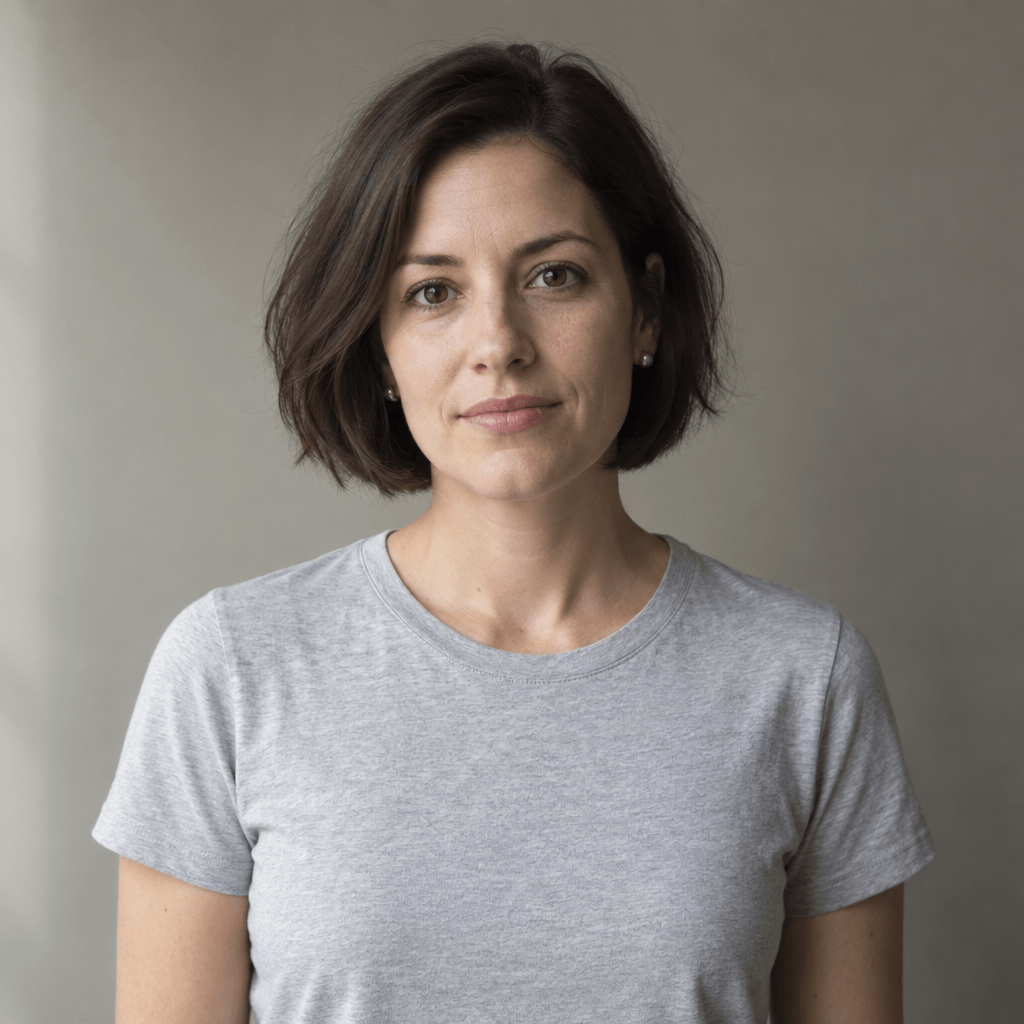
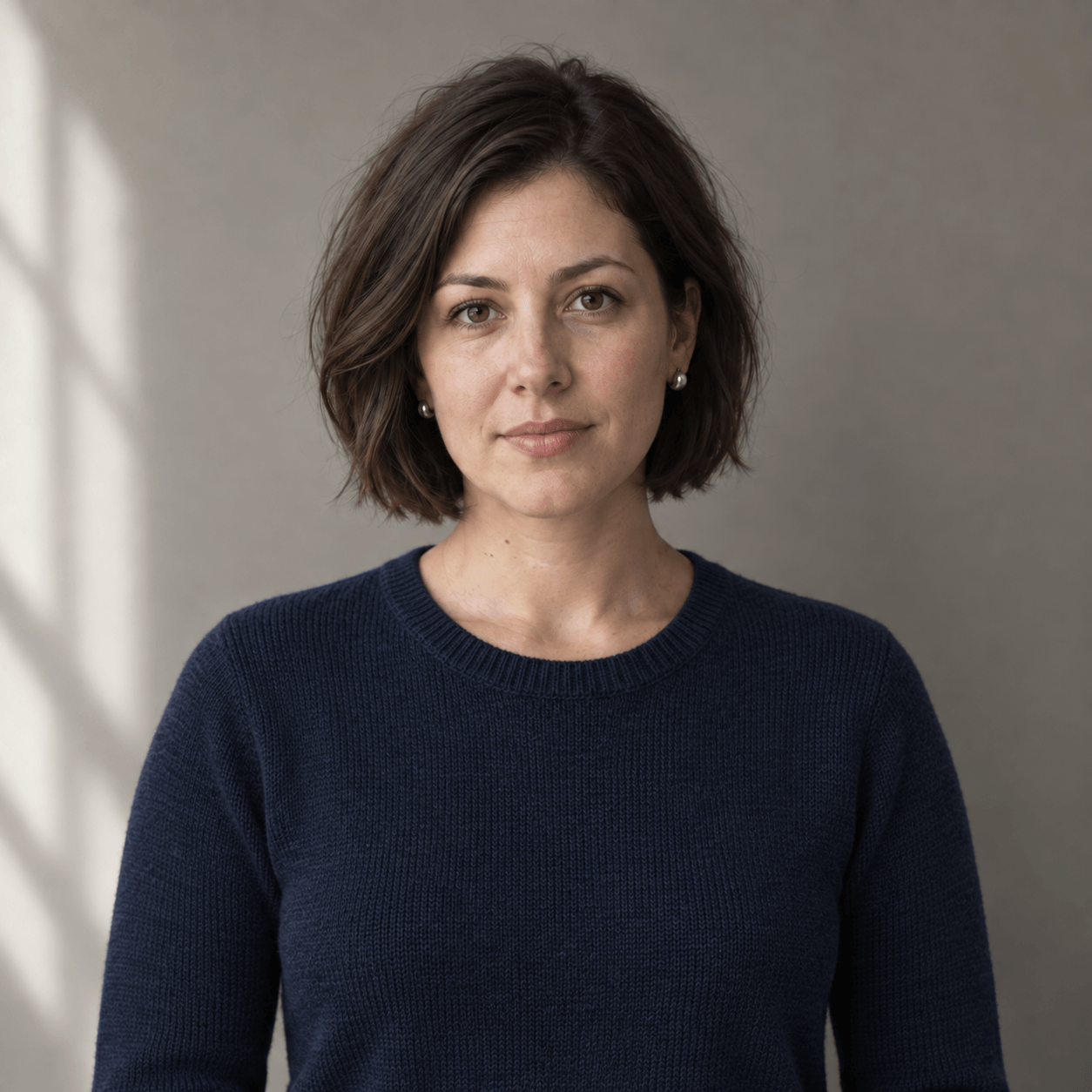
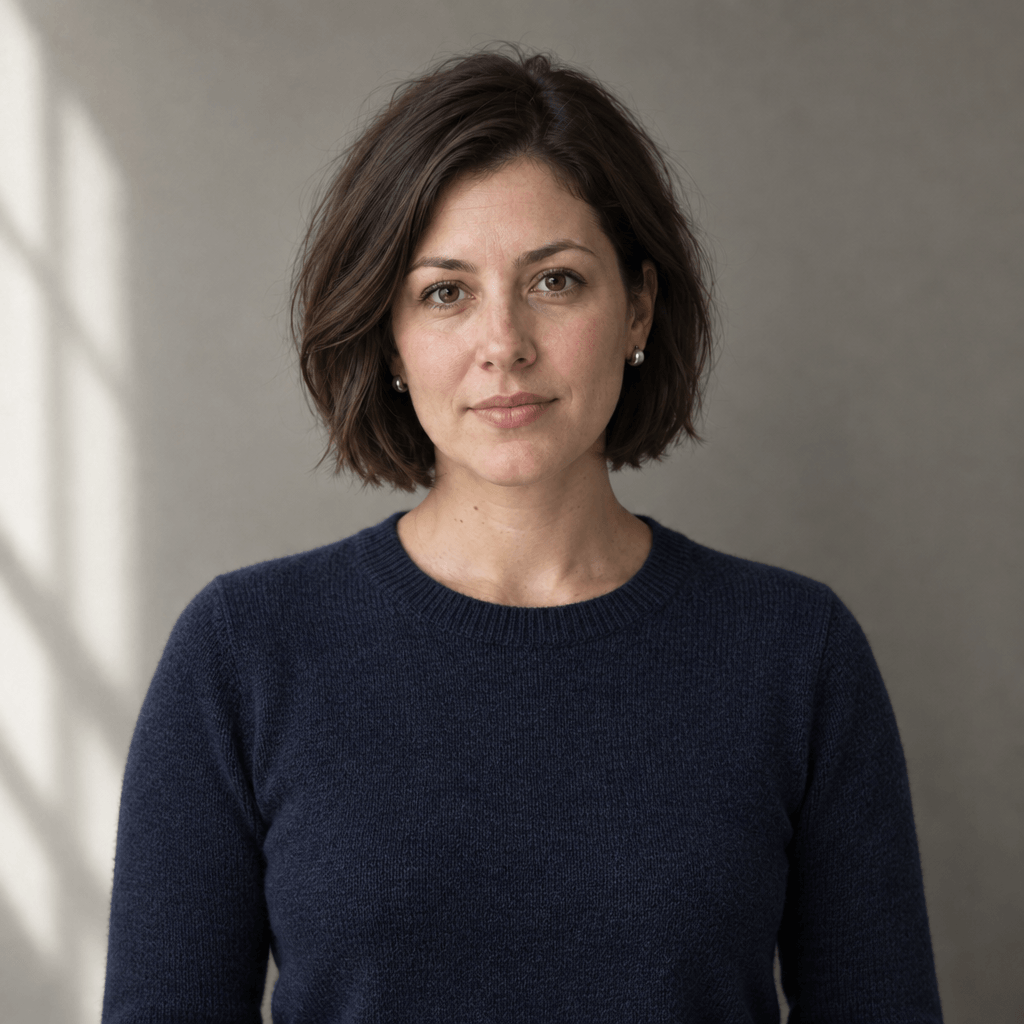
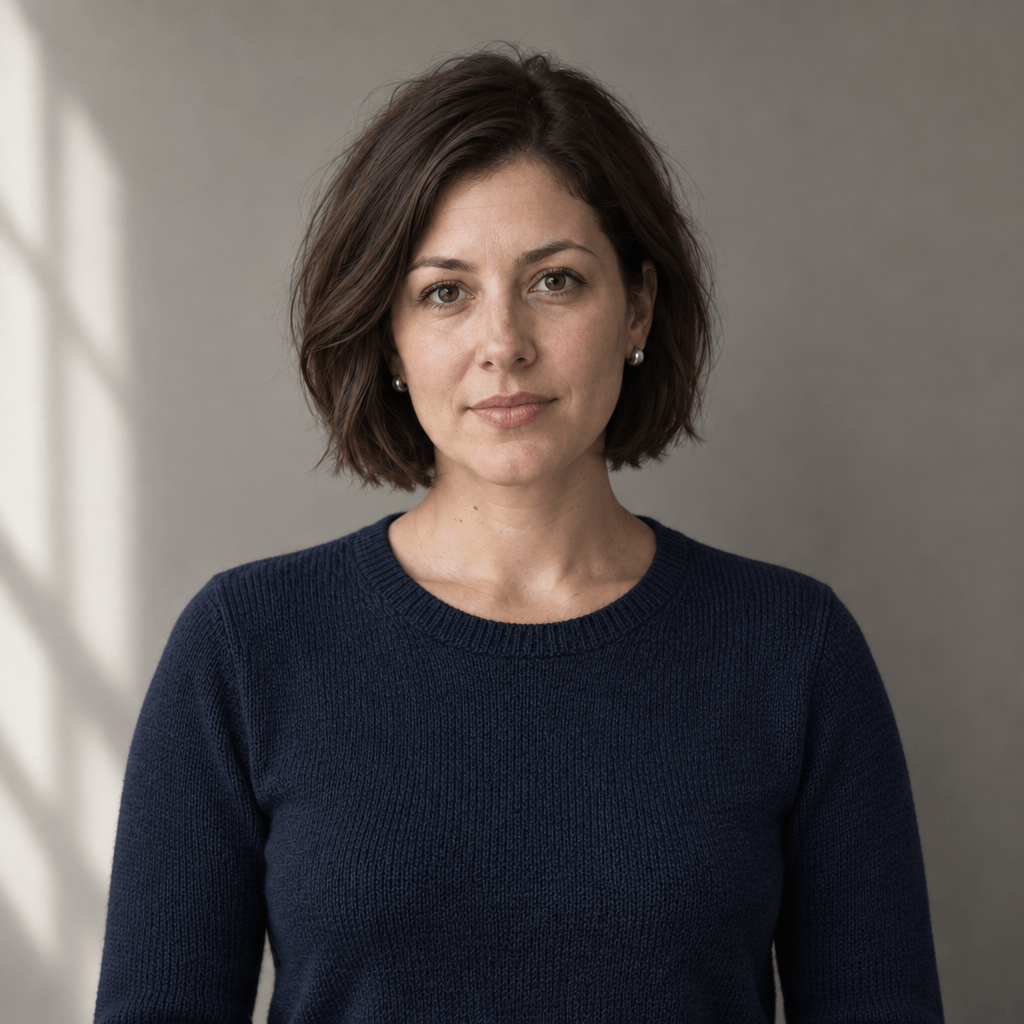
Portrait editing
Change the clothing. Keep the person.
A wardrobe change tests whether a small request stays small. Inspect the face, hair, earrings, pose, and background alongside the new garment.
Model-specific reference images
Each column uses a different supplied starting image. Compare an edit with the reference in its own column.
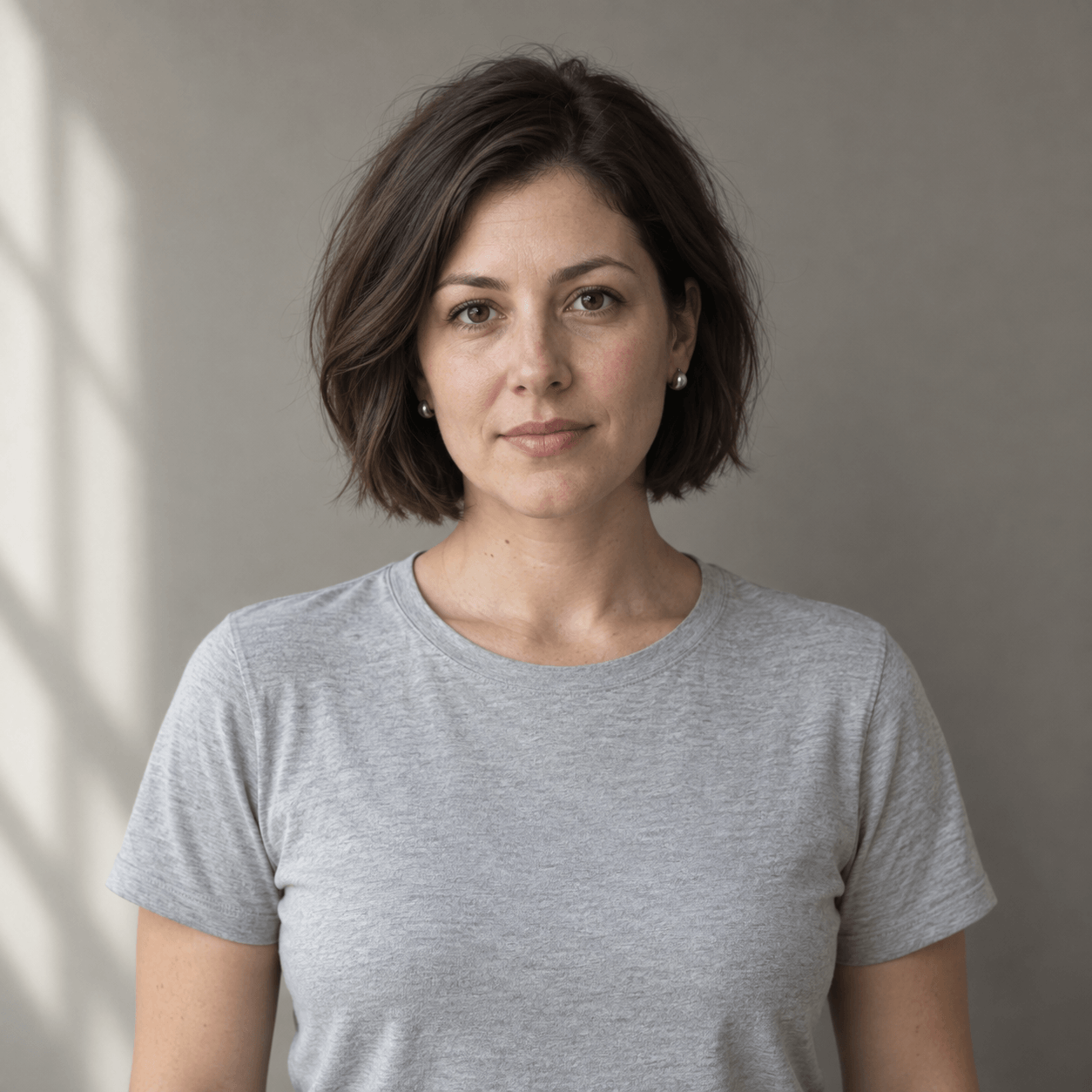
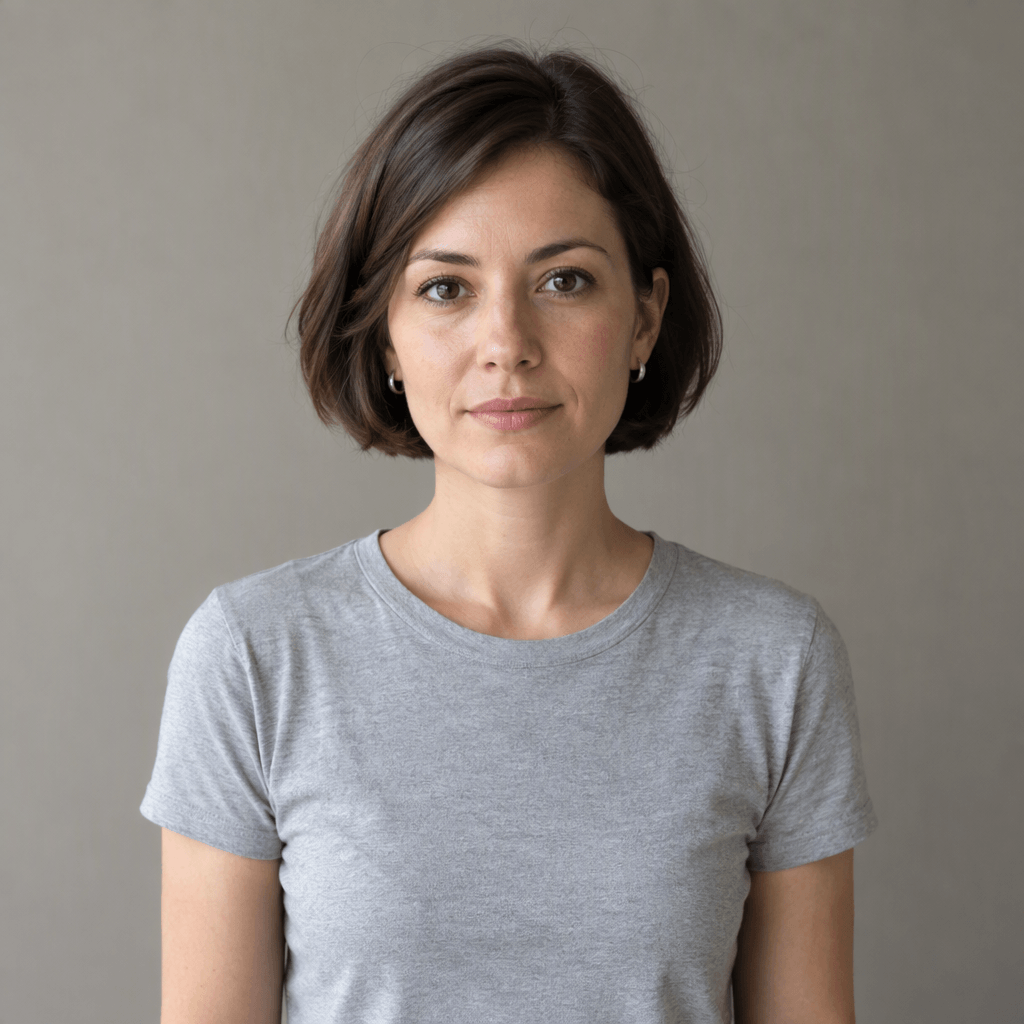
What to inspect
- The T-shirt becomes a navy sweater with knitted texture.
- The face, expression, hair, and earrings remain visually consistent.
- Framing, background, and lighting show no obvious unintended changes.
Visible observations
The outputs show navy knitwear. Check each face, hairstyle, earrings, and background against the corresponding reference above it. The starting portraits differ, so these examples illustrate individual edits rather than a controlled identity-preservation ranking.
Read the planned test prompt
Edit the portrait reference
Edit the supplied portrait. Replace only the plain gray T-shirt with a plain dark navy crew-neck sweater with a subtle knitted texture.

Preserve the person's face, expression, hairstyle, silver earrings, skin tone, head position, body pose, framing, background, and lighting. Do not beautify or retouch the face. Do not add makeup, accessories, text, logos, or other objects. Keep the original square composition. The only intended change is the garment and its fabric texture.
Multi-turn consistency
What survives two rounds of editing?
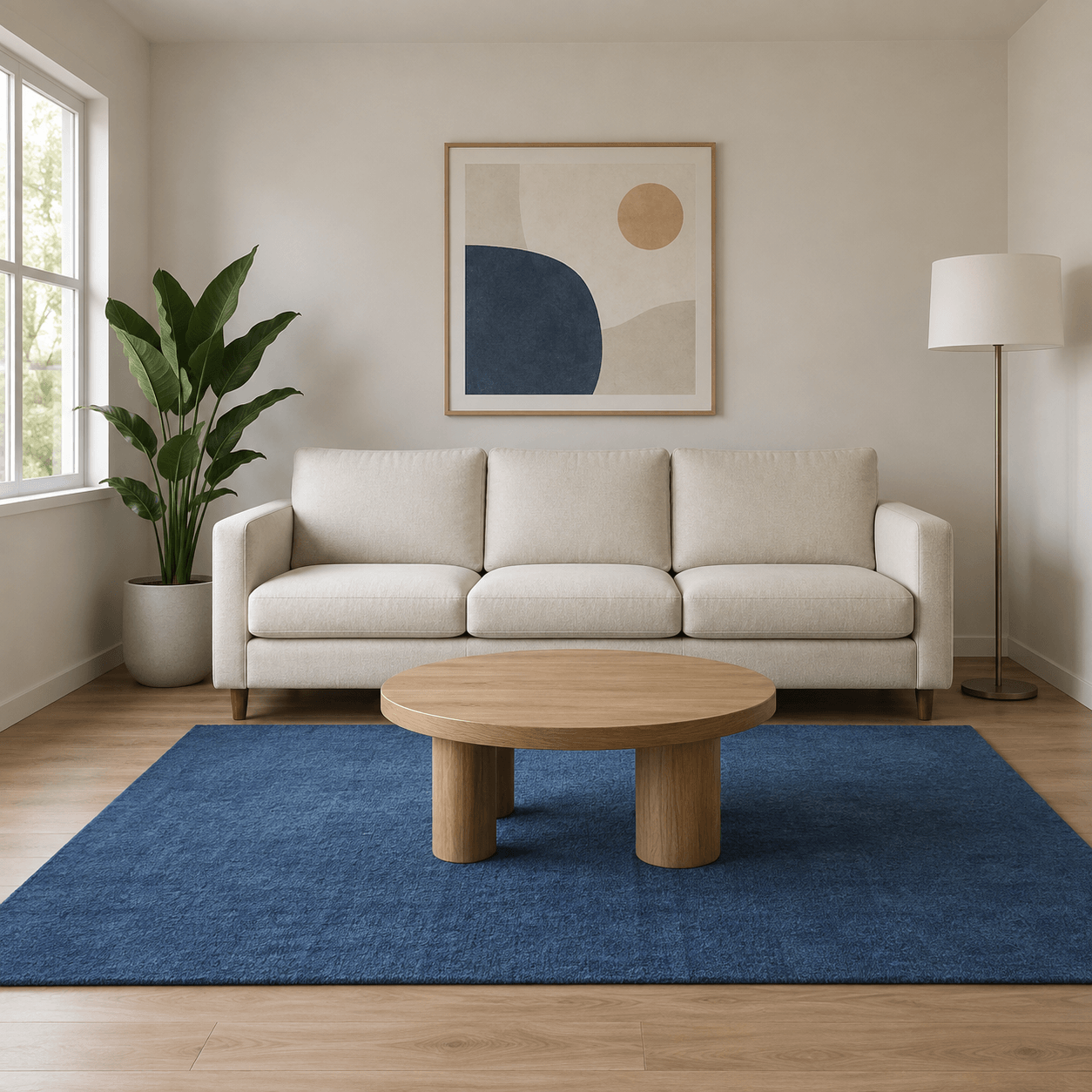
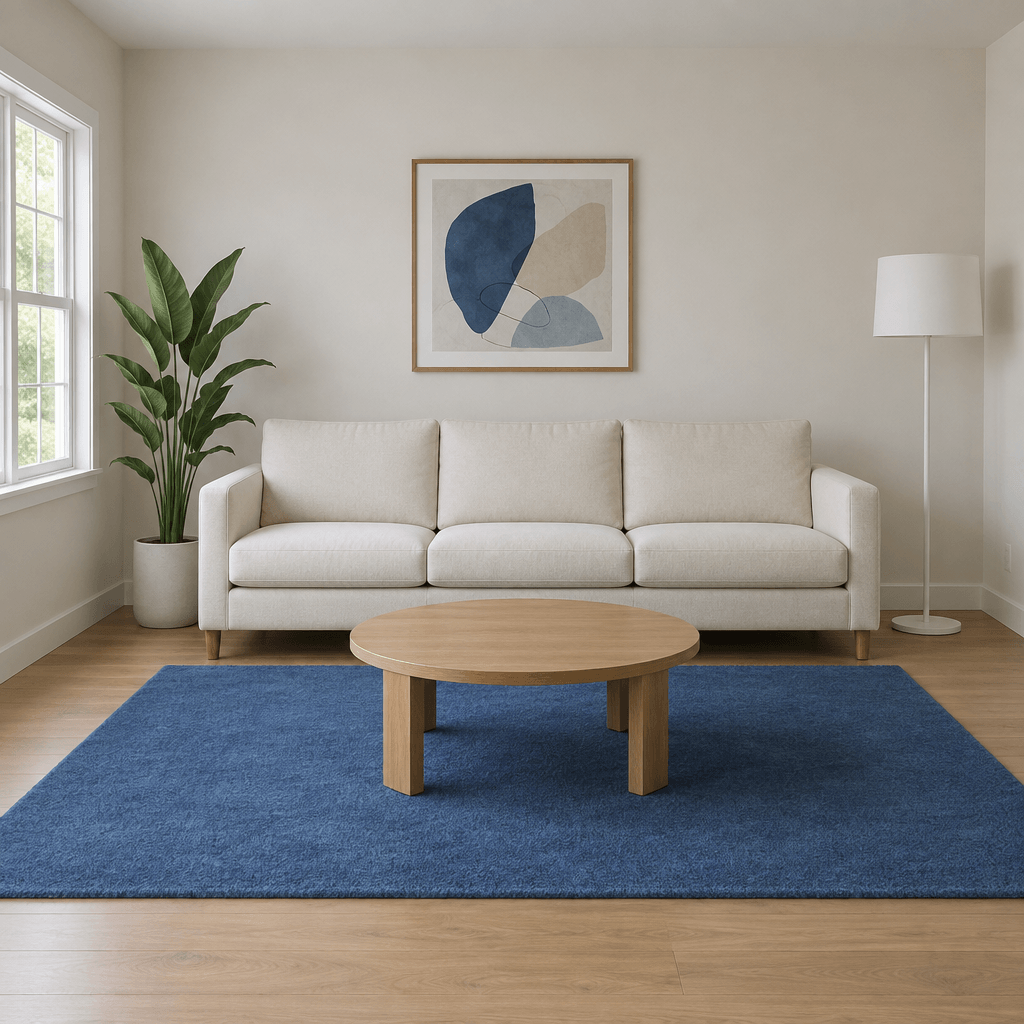
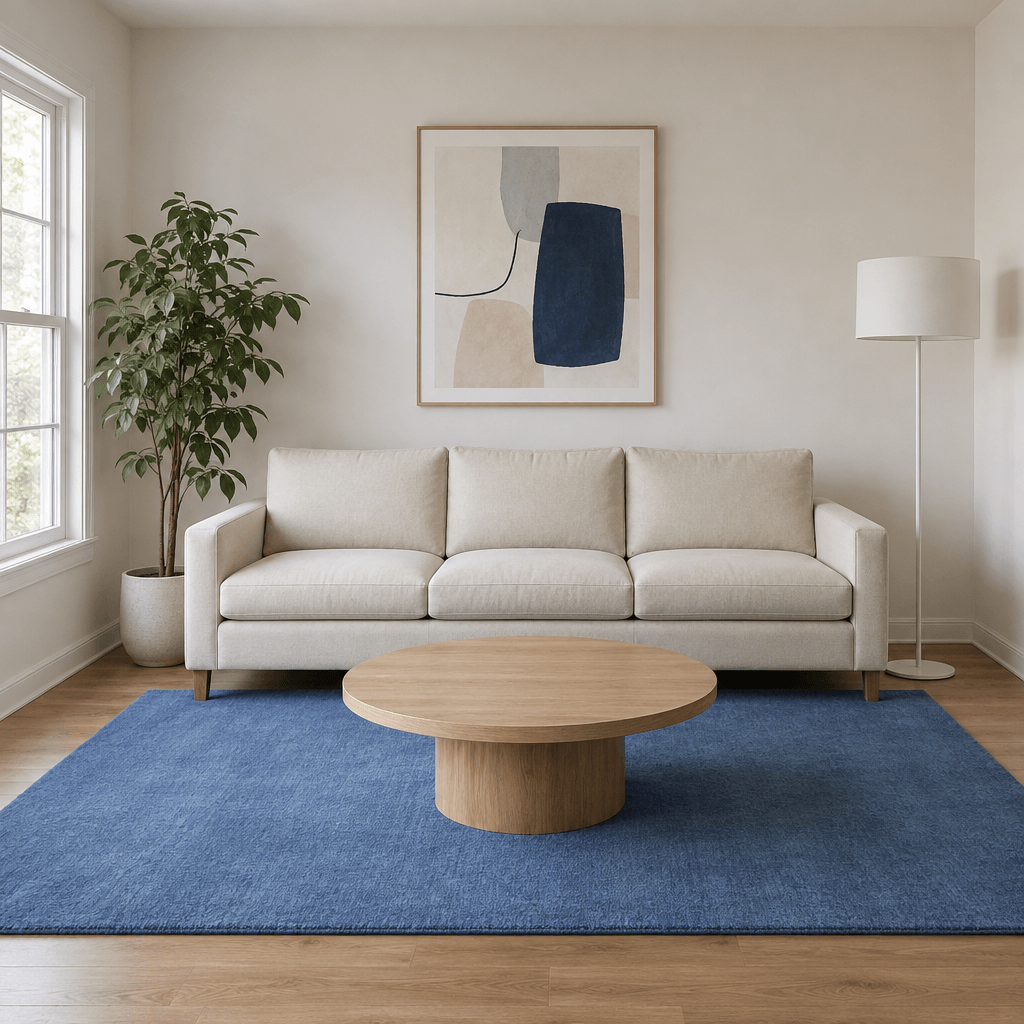
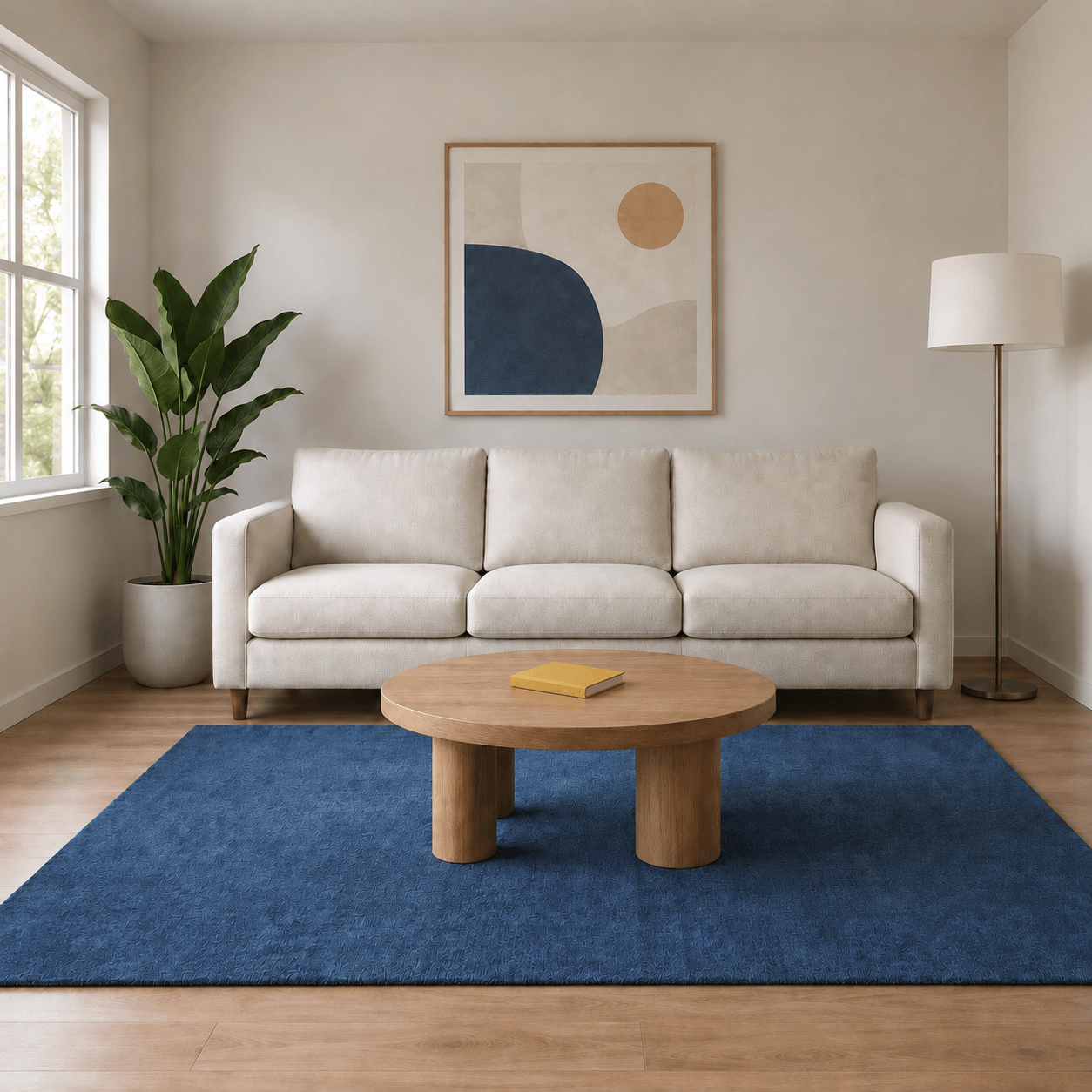
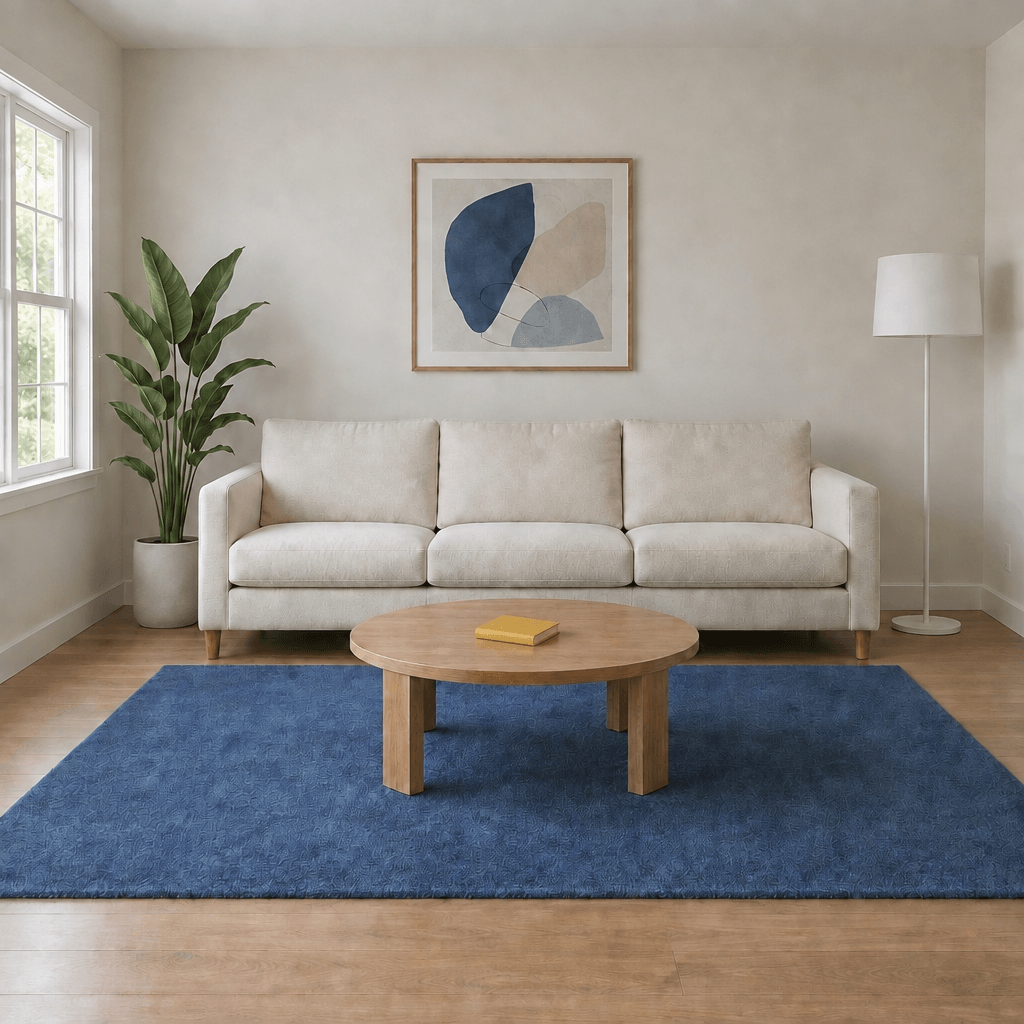
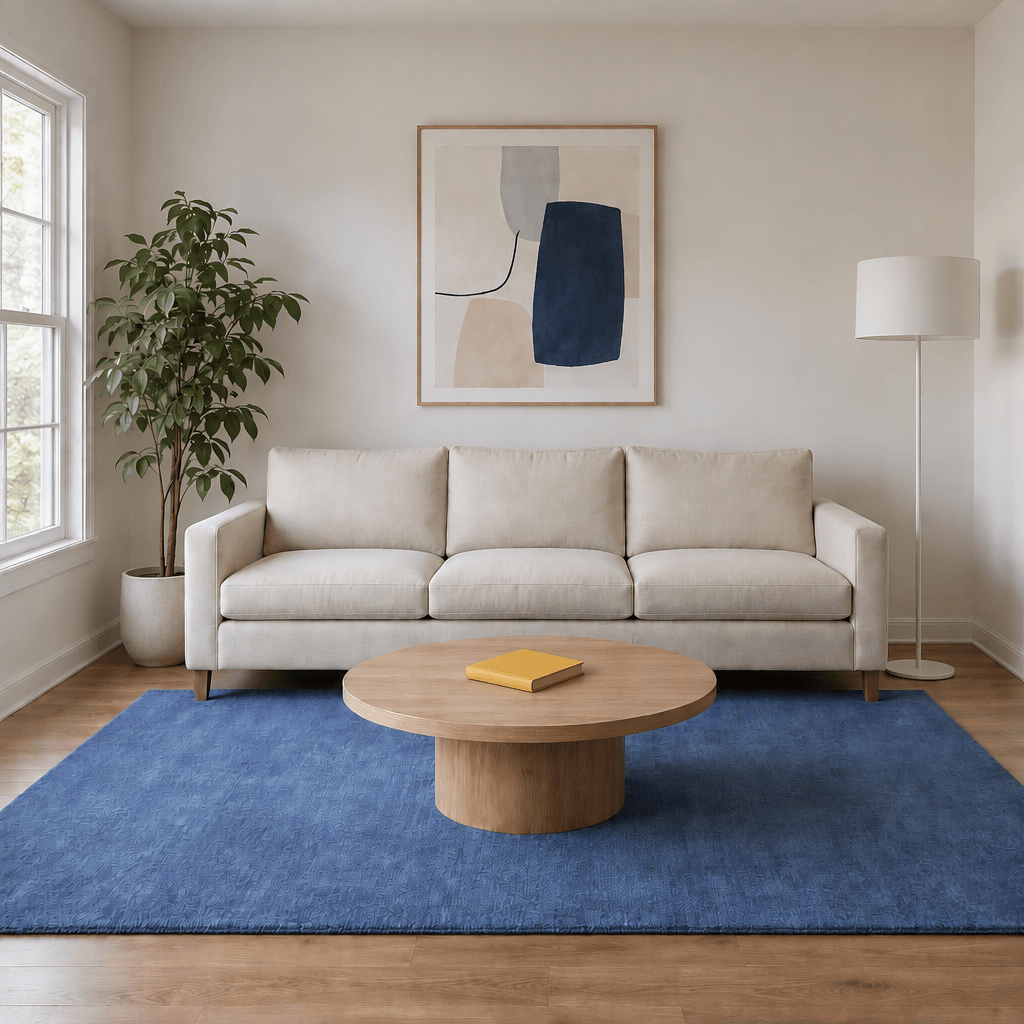
A room is edited one change at a time. The supplied step files show each model’s room sequence. Compare the book, lampshade, rug, and untouched details across the images.
Model-specific reference images
Each column uses a different supplied starting image. Compare an edit with the reference in its own column.
Step 1 · Add a book
Step 2 · Change the lampshade
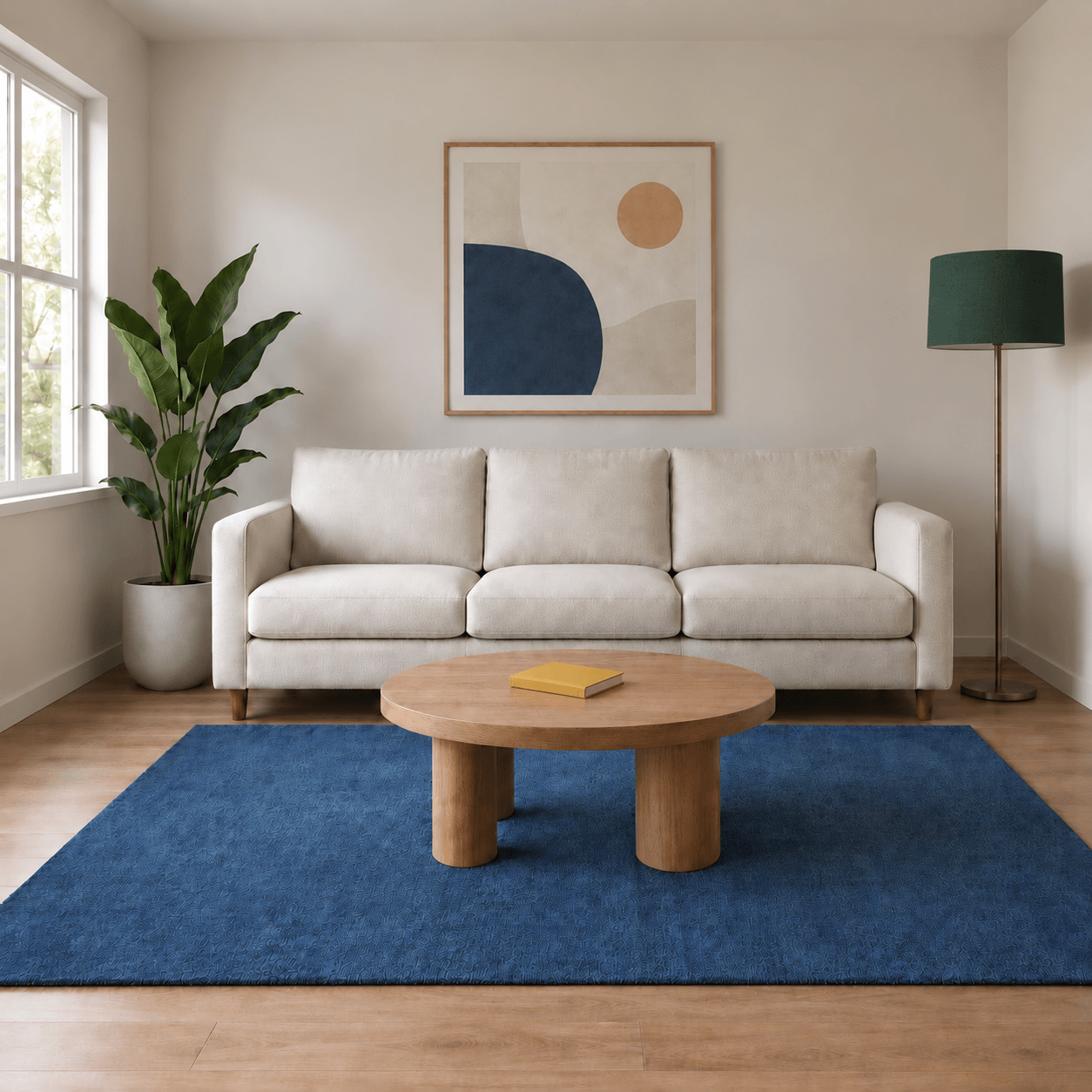
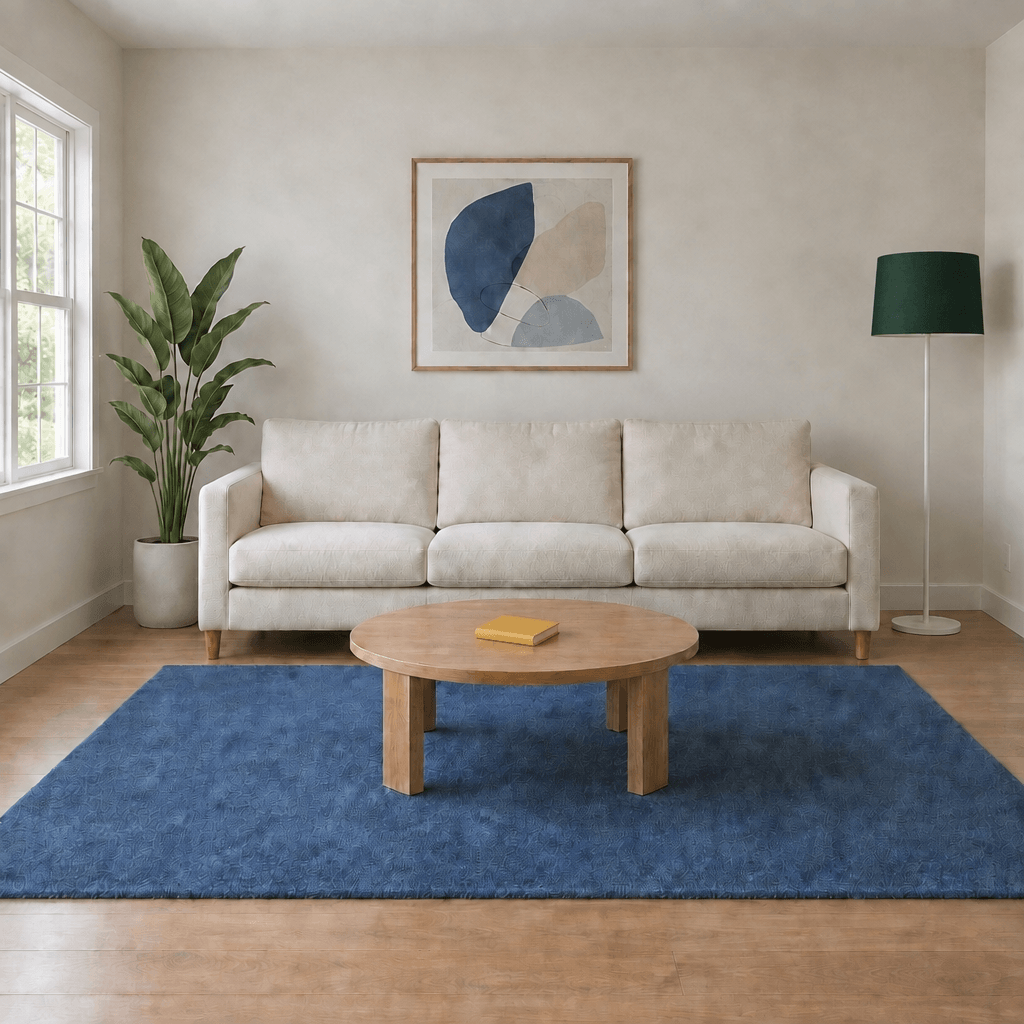
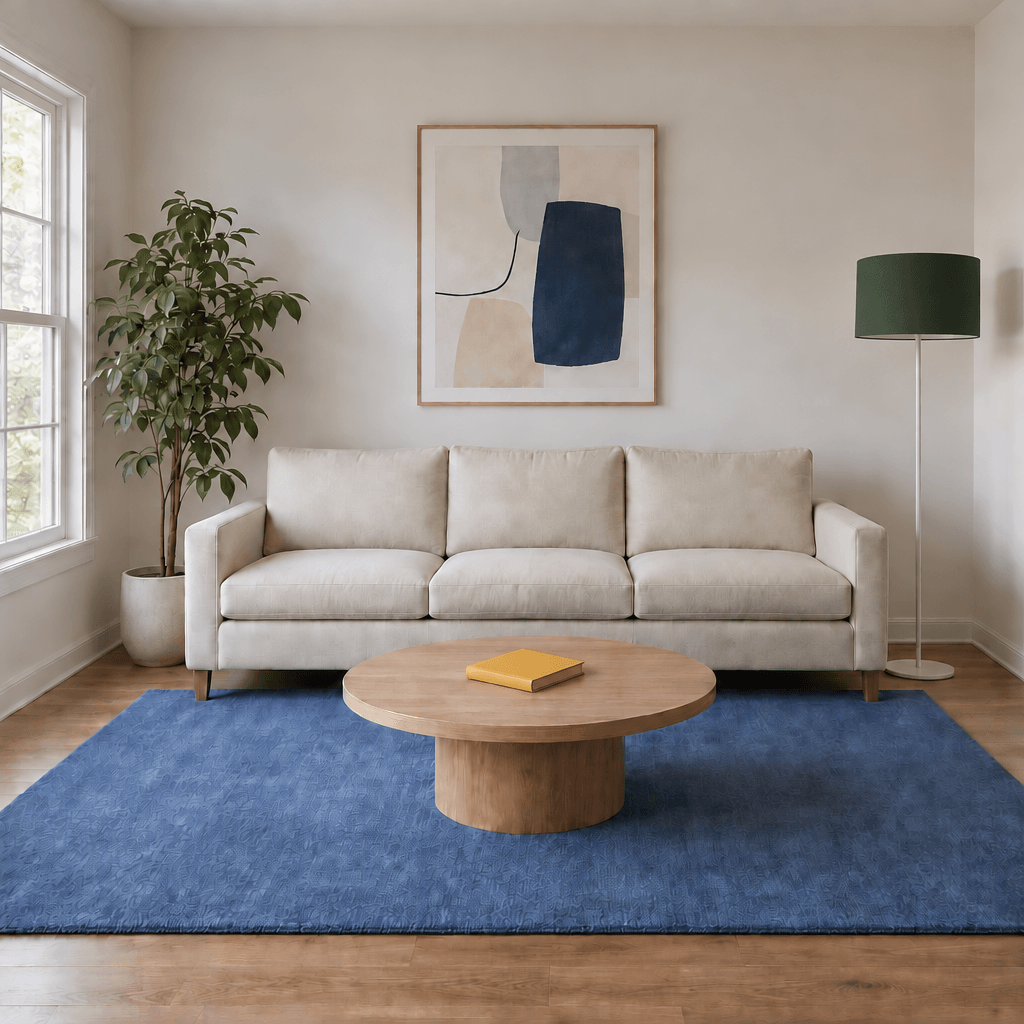
What to inspect
- Step 1 adds one yellow book and retains the blue rug.
- Step 2 changes the lampshade to green while retaining the book, rug, and room details.
Visible observations
The displayed edits add yellow books and then show green lampshades while retaining blue rugs. Compare the table, sofa, artwork, and lighting with each model’s reference to inspect unintended changes. The actual submitted prompts and input chain were not supplied as a generation log.
Also supplied: additional GPT Image 2 final-room image (JPEG). Its relationship to the PNG is not documented, so it is retained separately.
Read the planned two-step prompts
Step 1 · Add a book
Edit the supplied living-room image. Add one small closed yellow hardcover book lying flat at the center of the round oak coffee table. The book cover must be plain, with no text. Keep the blue rug and every existing object unchanged. Preserve the sofa, plant, floor lamp, framed print, window, camera angle, lighting, and square framing. Do not add anything else.
Step 2 · Change the lampshade
Edit the supplied living-room image. Change only the floor lamp's white lampshade to a dark forest green lampshade. Preserve the lamp's original shape, size, and position. Keep the small yellow book on the table and the blue rug unchanged. Preserve the sofa, coffee table, plant, framed print, window, camera angle, lighting, and square framing. Do not add or remove any objects or text.
What does a usable image cost?
Include the attempts that did not make it into the final result.
Total cost of all attempts
÷ images that meet the brief
There are no matched timing or billing records for these cases yet. Once available, the comparison will show the selected settings, actual output dimensions, time until download, and cost in the provider’s billing unit.
Official API token prices, ChatGPT subscriptions, and this website’s credits are separate pricing systems. Read the website pricing and credit rules for this service; use the model documentation for API pricing.
If no output meets the brief, report that outcome and the total spend. A single attempt is a case observation, not a reliable speed or success-rate estimate.
Choose around your work.
These starting points follow official positioning; the examples do not establish an overall ranking.
Frequent drafts & variations
Include Flare when evaluating an everyday generation workflow. Check total iteration time and whether the first result is usable, rather than choosing on latency alone.
Detailed product & reference edits
Include Sunburst when a label, face, or small detail must survive. Inspect the preserved areas as closely as the requested change. Explore the Sunburst guide.
When GPT Image 2 is still enough
Keep your existing workflow if it consistently meets your requirements and a matched comparison shows no meaningful benefit from switching. A new version number alone does not justify retesting every production prompt.
For a separate comparison of this website’s two 2.5 options, see our Flare vs Sunburst review. Its results do not establish a lead over GPT Image 2.
About these image examples.
Original files, supplied settings, and the limits of the comparison.
Settings and attribution.
The contributor reports 1:1 aspect ratio and Medium quality for all images. GPT Image 2 files are 1254 × 1254; Flare and Sunburst files are 1024 × 1024. Model attribution follows the supplied filenames; API snapshots and the access platform were not independently verified.
Keep the supplied originals.
The page displays nine references and 15 outputs: a poster, product edit, portrait edit, and two displayed room edits for each model. A second supplied GPT Image 2 final-room file is also linked below. The number of attempts and any omitted failures are unknown.
Judge against the brief.
Check text against the requested strings and edits against the listed changes. Assess faces and object preservation visually, without claiming biometric or pixel-level identity. Keep aesthetic observations separate.
Show the limits.
These are illustrative examples using different generated references. The displayed planned prompts are not a verified request log. Generation times, charges, retry counts, and input-chain records were not supplied; no reliability or speed ranking is inferred.
A few useful answers.
Is GPT Image 2.5 better than GPT Image 2?
OpenAI describes improvements in image detail, editing, and generation latency. Whether those changes improve your particular workflow needs a matched comparison. The supplied examples use different reference images for each model, so they do not establish an overall winner.
Is GPT Image 2.5 faster?
The official announcement reports up to 50% lower generation latency compared with Images 2.0. This is an official claim, not a measurement from this website. Sunburst is positioned for more precise work with longer generation times; do not assume every 2.5 request is faster.
Does GPT Image 2.5 cost more?
Compare the price for your actual model, output settings, and access provider. A token rate, a ChatGPT subscription, and a third-party credit charge describe different things. This page does not yet have matched cost records for the three models.
Which should I compare first: Flare or Sunburst?
Based on official positioning, start with Flare when iteration speed matters and include Sunburst when detailed editing is the priority. Treat this as a starting point for your own comparison, rather than a measured ranking from these examples.
Can I reuse GPT Image 2 prompts?
Use your existing prompt as a baseline and keep it unchanged for the first comparison. Check the new result against the same requirements before changing the prompt. Then record any revisions needed; identical wording does not guarantee identical output.
Are ChatGPT image features included on this website?
ChatGPT features such as drawing, templates, and comments belong to that product experience. A third-party generator has its own interface and available controls. This is an independent website, not an OpenAI website.
Sources & editorial disclosure
Prepared by the GPT Image 2.5 editorial team, the publisher of this independent image-generation website. We have a commercial interest in the service linked here. The current guide combines official information with contributor-supplied images and visual observations. We did not independently execute or log these generations.
- OpenAI: Introducing ChatGPT Images 2.5
- GPT Image 2 model documentation
- GPT Image 2.5 Flare model documentation
- GPT Image 2.5 Sunburst model documentation
The existing website review identifies its own test scope and model-verification limits. Its results will not be relabeled as evidence for these new cases.
Bring your own brief.
Try a task you know well, then inspect the details that matter to you.